This guide covers closing the loop — turning responses that need action into tracked cases, routing them to the right people, and resolving them within a service-level agreement (SLA). It also covers the beneficiary Complaints and Feedback Mechanism (CFM), a confidential channel for the people your programme serves.
Basic follow-up automation is available on Team and above (followupAutomation); advanced metrics and the beneficiary CFM are Organisation-plan features (followupAutomationAdvanced, beneficiaryCfm).
Quickstart: Close the loop
Follow these steps in the product:
Collecting feedback is only half the job — acting on it is the other half. This guide covers FlexiSurvey's follow-up tools: the case queue with SLA tracking, routing rules, and the metrics dashboard.
1. The case queue
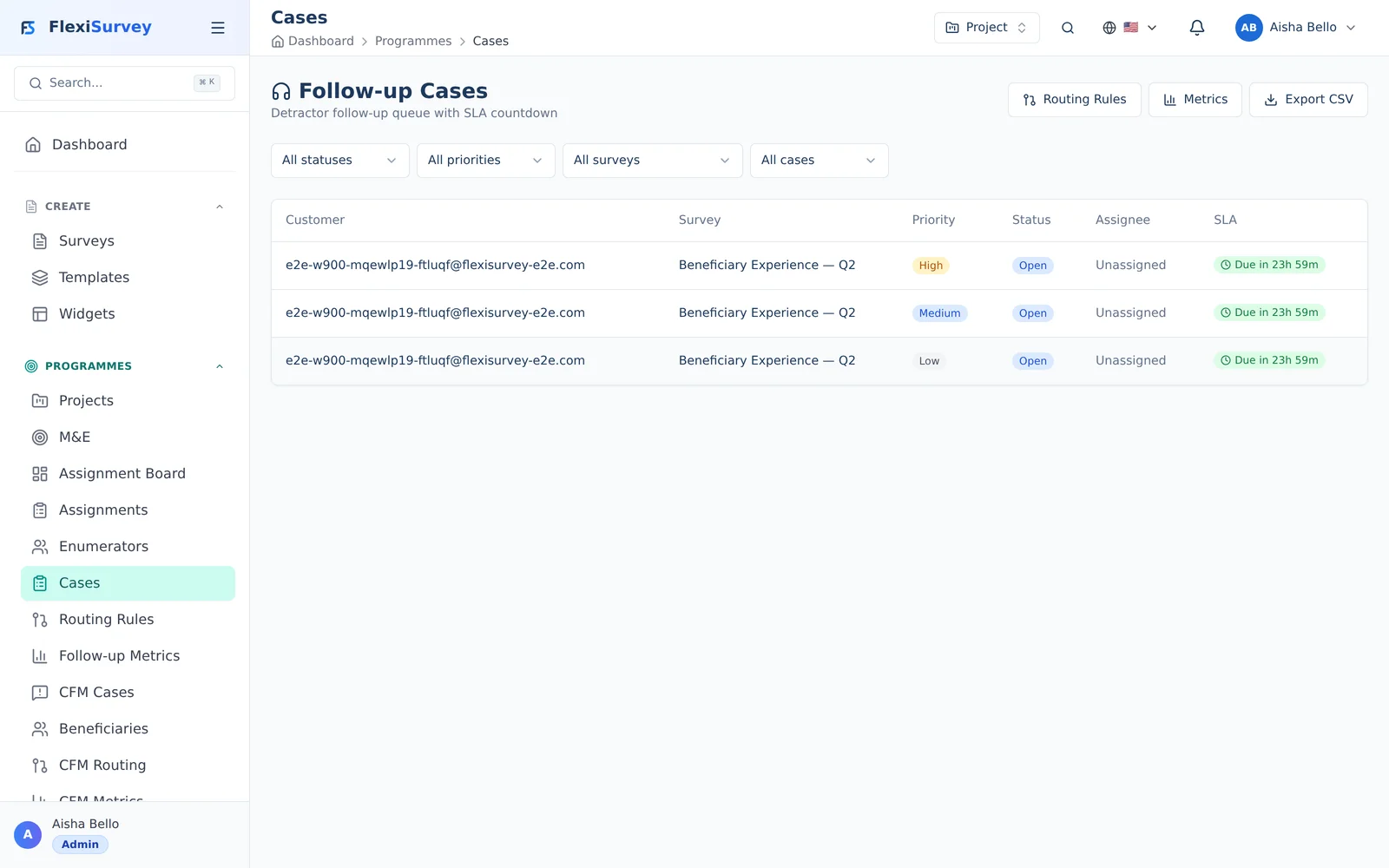
When a response needs follow-up, it becomes a case in the queue — with a priority, an assignee, and a live SLA pill counting down to the deadline. Work the queue to make sure no one's concern falls through the cracks.
2. Routing rules
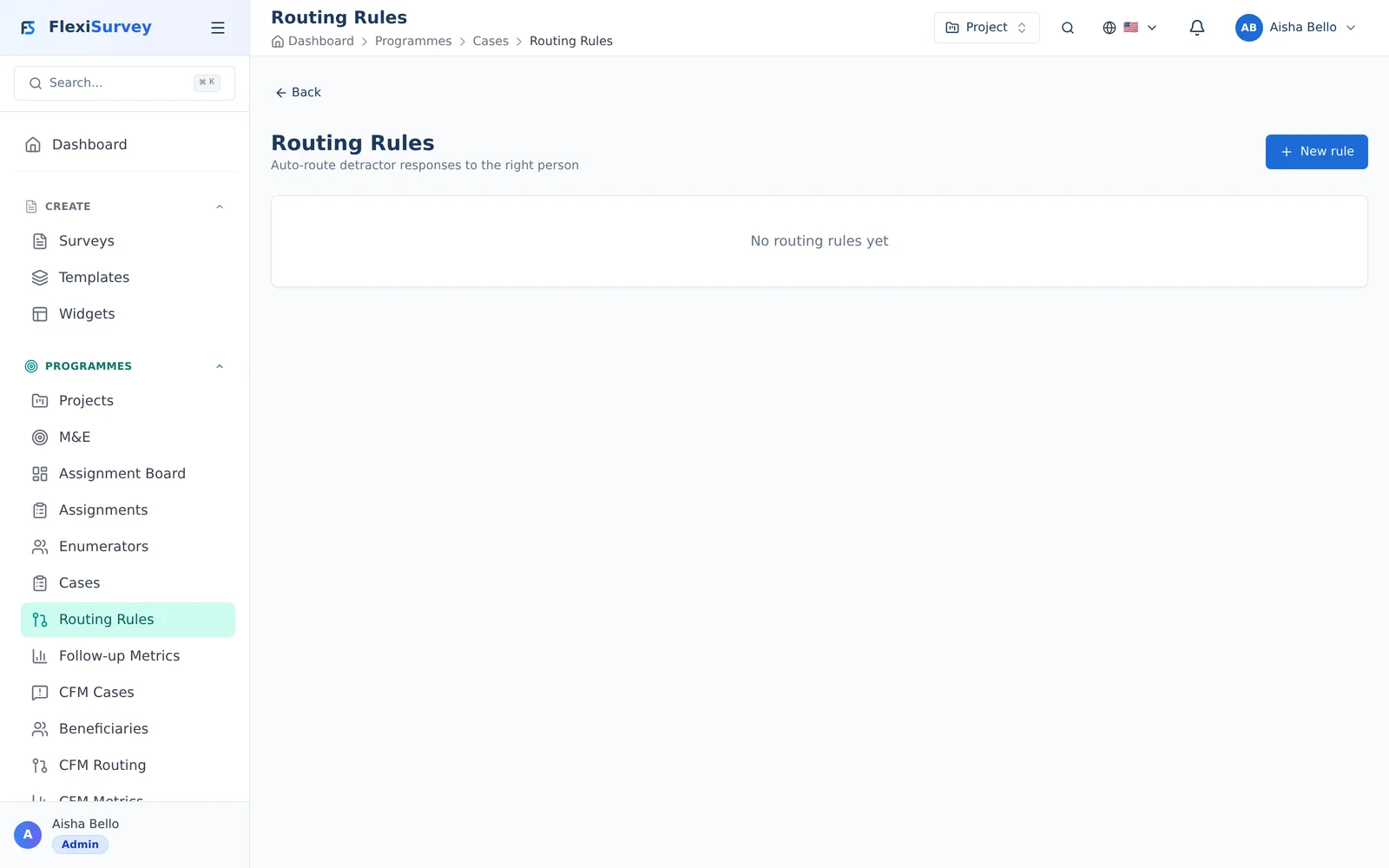
Routing rules turn follow-up into an automation: when a response matches your conditions, a case is created, assigned, and given an SLA automatically. Build the rules once and the right cases route themselves.
3. SLA metrics
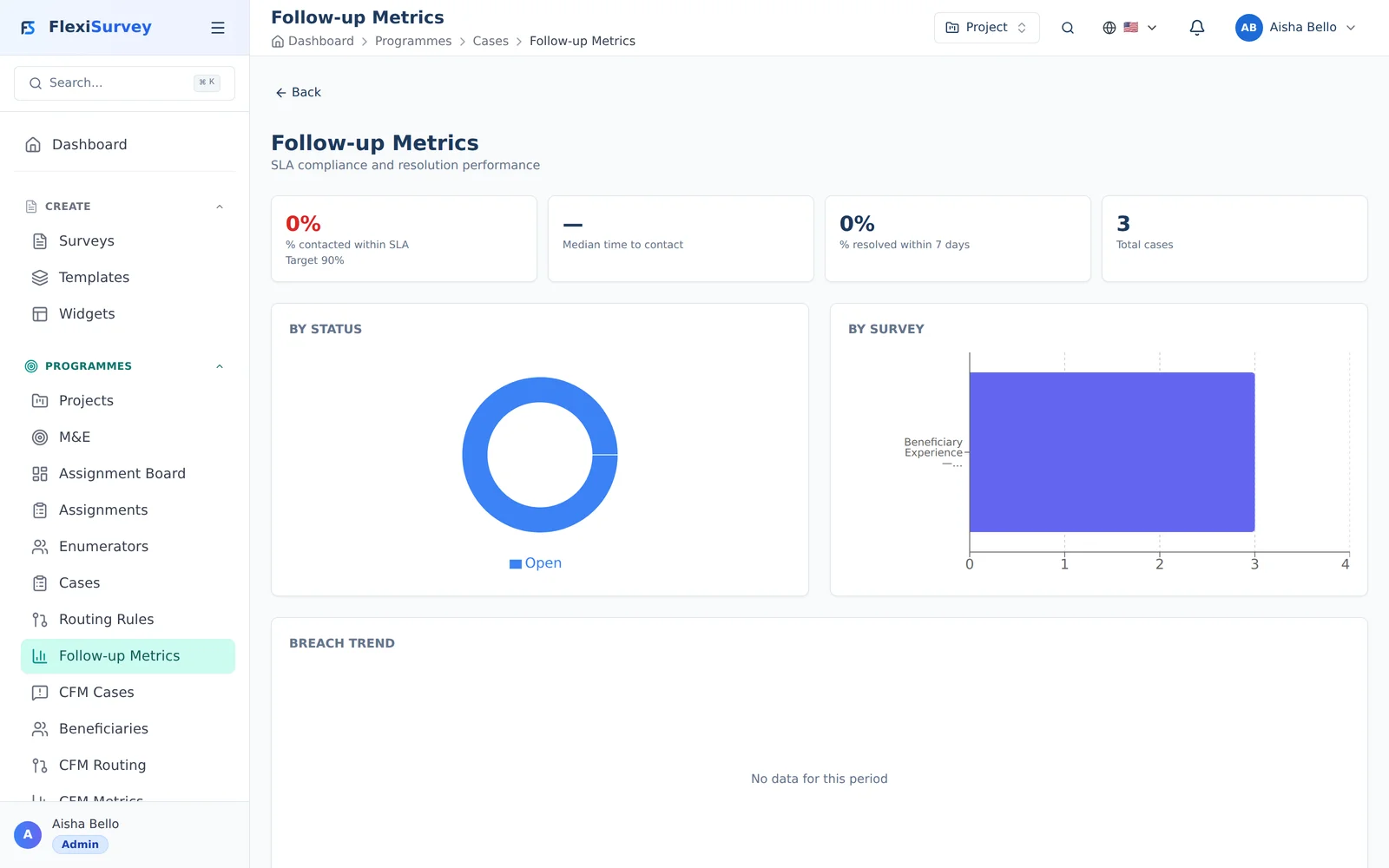
The metrics dashboard shows how well you're closing the loop — percentage within SLA, median time to first contact, resolution rates, and breach trends — so you can prove responsiveness to your team and your funders.
How closing the loop works
A response often isn't the end of the story — a low satisfaction score, a complaint, or a flagged answer needs someone to act. FlexiSurvey turns those into cases:
- A response arrives.
- Routing rules decide whether it becomes a case and who owns it.
- The case moves through a state machine (open → in progress → resolved) while an SLA clock ticks.
- Every action is recorded on the case's event timeline.
This gives you an auditable record that feedback was received, owned, and resolved on time.
The case queue
The case queue is the working view for whoever handles follow-up.
Each case shows its source response, its owner, its status, and a live SLA pill that ticks down (and turns red when breached) so the most urgent cases surface first. Open a case to see its full detail, take an action, and add a note — each of which is logged to the timeline.
Routing rules
Routing rules are what turn responses into cases automatically.
A rule has a condition (e.g. satisfaction rating ≤ 2, or response contains a complaint) and an action — create a case, assign it to a person or team, and set its priority and SLA. FlexiSurvey evaluates rules as each response comes in, using one of several routing strategies, so cases are created the moment they're needed.
The rule editor includes a live dry-run: test a rule against recent responses to see exactly which would have become cases before you switch it on. Your plan caps the number of active routing rules.
SLA tracking and metrics
Each case carries an SLA — the time you've committed to first response and resolution. Background checks watch every open case and escalate as deadlines approach or pass.
The metrics dashboard shows how you're performing: case volume, resolution times, SLA compliance, and breaches over time, with CSV export for reporting. The advanced metrics dashboard is an Organisation-plan feature.
Beneficiary CFM (Complaints & Feedback Mechanism)
The beneficiary CFM is a confidential channel for the people your programme serves to raise complaints, feedback, and — importantly — safeguarding concerns. It's built on the same case engine, with extra protections appropriate to sensitive cases:
- A beneficiary is tracked as a confidential respondent; their cases extend the standard case model.
- Safeguarding cases are restricted to designated focal points — they're invisible to everyone else. Trying to access one you're not entitled to returns a "not found" (never a "forbidden" that would reveal the case exists), and every access is audited.
- This keeps the most sensitive reports tightly held while still tracked, owned, and resolved on time.
The beneficiary CFM is an Organisation-plan feature (beneficiaryCfm).
Who can do what
- Account Managers / CFM Managers (the Account Manager role) work the case queue, manage routing rules, and view metrics.
- Safeguarding focal points are the only people who can see safeguarding-flagged beneficiary cases.
- Follow-up automation requires Team; advanced metrics and the beneficiary CFM require Organisation.
Troubleshooting
- Responses aren't becoming cases — confirm the routing rule is enabled and its condition matches; use the dry-run to verify against recent responses.
- "Maximum routing rules reached" — you've hit your plan's rule cap; disable an unused rule or upgrade.
- An SLA looks wrong — the SLA is set by the routing rule that created the case; check the rule's SLA configuration.
- A colleague can't see a safeguarding case — that's by design; only designated focal points can, and the case is deliberately hidden from everyone else.
- The metrics dashboard is locked — advanced metrics are an Organisation-plan feature; basic follow-up is on Team.