This guide covers FlexiSurvey's field operations — the tools a programme manager uses to put surveys into the hands of enumerators and track collection in the field. You'll build a roster of field staff, assign surveys to them with targets, and monitor progress from a single board.
Field operations are available on the Organisation plan and above (the fieldOperations feature). If you just need anonymous public responses rather than assigned field collection, see the Distribute your survey guide instead.
Quickstart: Run field operations
Follow these steps in the product:
For teams collecting data in the field, FlexiSurvey adds enumerator assignments and a roster. This guide covers the assignment board, the assignments list, and the enumerator roster.
1. The assignment board
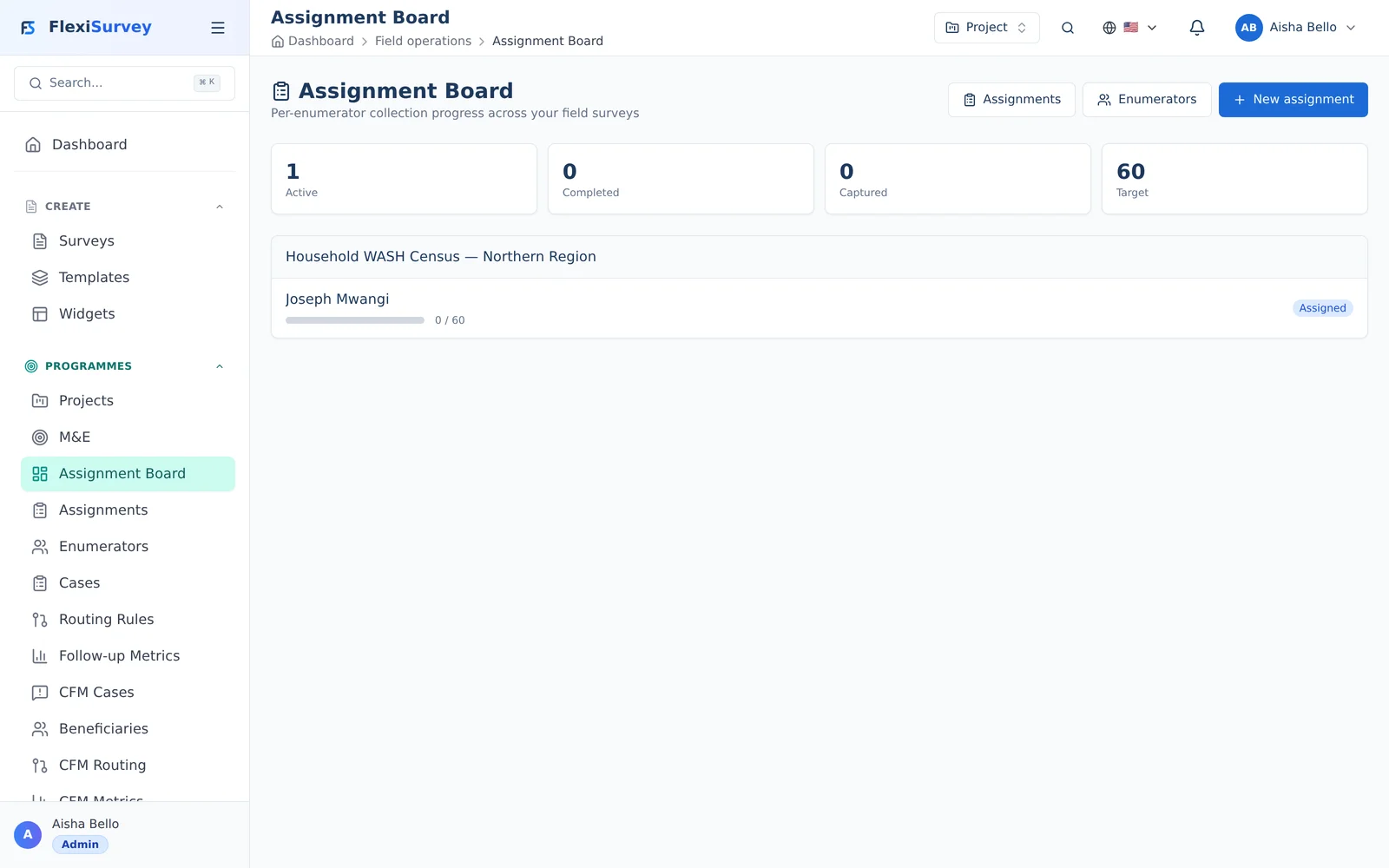
The assignment board gives you an at-a-glance view of field work — each survey's assignments grouped together, with live collection progress against target so you can see who's on track and who needs support.
2. Track every assignment
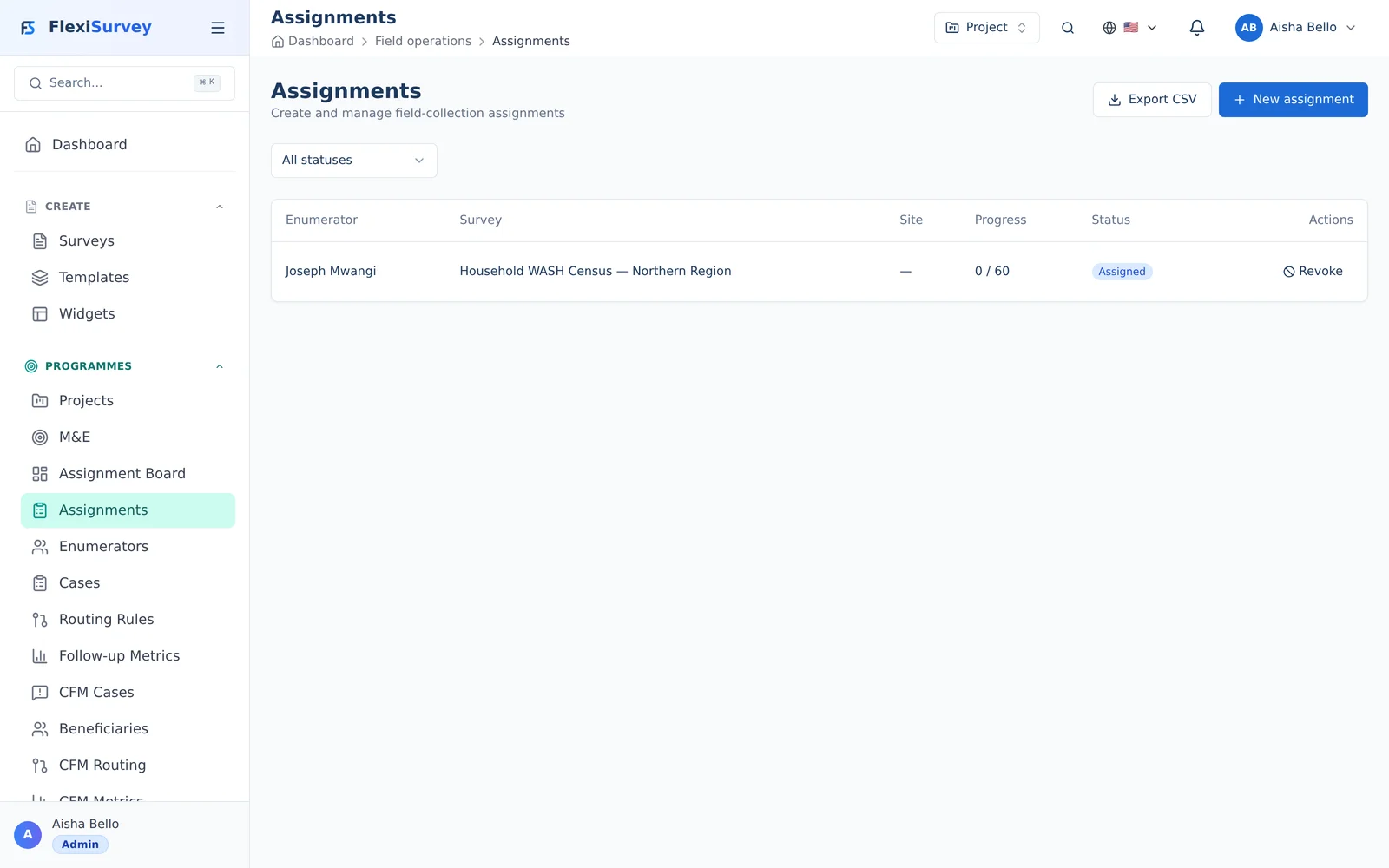
The assignments list is the full, filterable record: which enumerator is assigned to which survey, their target, progress, and status. Open any assignment to pause, resume, or revoke it.
3. Your enumerator roster
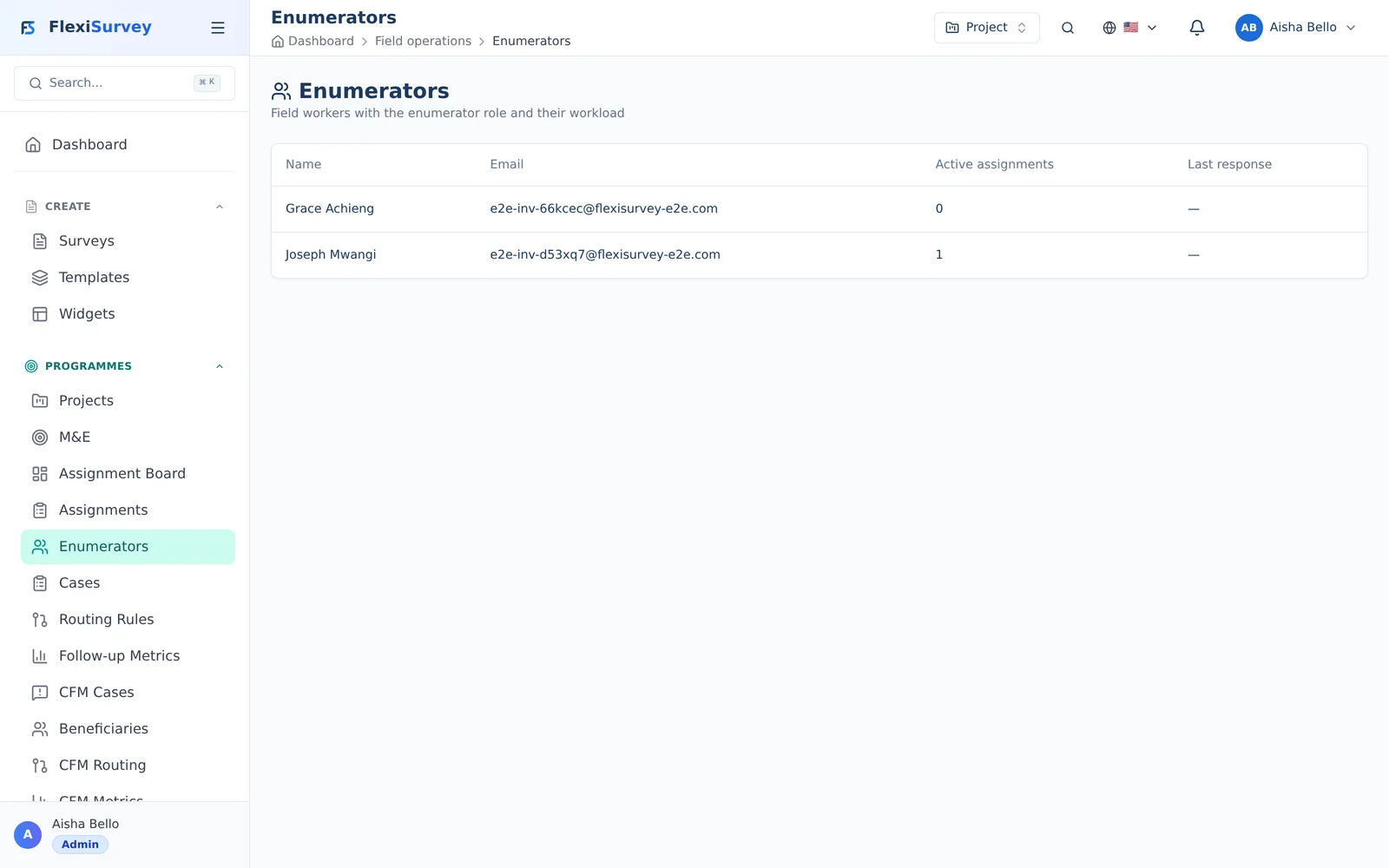
The roster is your field team at a glance — every enumerator with their active assignment count and most recent response, so you always know who is active and collecting.
How field collection fits together
Field collection has three moving parts:
- A roster of enumerators — the field staff who collect data.
- Assignments — a survey handed to an enumerator (optionally with a collection target and a deadline).
- The mobile app — where enumerators see My Assignments, collect responses (online or offline), and sync.
The assignment that links a survey to an enumerator is a collector assignment. When an enumerator submits responses against it, those responses are tied back to the assignment, so you can see exactly who collected what.
The assignment board
The board is your operational overview — every assignment, grouped by status, so you can see at a glance what's pending, in progress, and complete.
From the board you can open any assignment to see its detail: which survey, which enumerator, the target, the deadline, and how many responses have come in so far.
Tracking assignments
The assignments view lists every assignment with its progress against target.
Each assignment shows:
- the enumerator and the survey;
- a collection target (how many responses you expect) and progress toward it;
- a deadline, if set;
- status — from assigned, through in-progress, to complete.
This is where you spot a stalled enumerator, a missed deadline, or a survey that's collecting faster or slower than planned, and rebalance work.
The enumerator roster
The roster is your directory of field staff.
An enumerator is a workspace member with the Enumerator role. From the roster you can see who's active, what they're assigned, and their recent collection activity. Your plan sets a cap on the number of active enumerators; the roster shows where you stand against it.
Assigning surveys
You can create assignments three ways, depending on scale:
| Method | Use it for |
|---|---|
| Individual | Assigning one survey to one enumerator |
| Bulk | Assigning a survey to many enumerators at once, with a shared target |
| CSV import | Standing up a large roster of assignments from a spreadsheet |
For CSV import, you provide a file mapping enumerators to surveys (and optional targets/deadlines); FlexiSurvey validates it and creates the assignments in one pass. This is the fastest way to launch a large field campaign.
Collection targets and quotas
Two different tools shape how much gets collected:
- Assignment targets tell an individual enumerator how many responses to gather — an operational goal you track on the board.
- Response quotas (set on the survey, Team plan and above) cap responses by category — for example, no more than 200 responses from each district, or a balanced sample across age groups. Once a quota cell is full, further responses for that cell are turned away automatically.
Use targets to manage people and quotas to control your sample.
In the field: the mobile app
Enumerators do their work in the native iOS and Android apps:
- Sign in once while online to sync assignments — they appear under My Assignments.
- Collect offline — surveys, conditional logic, and validation all run on the device; nothing is lost without a signal.
- Capture evidence in place — photo, geolocation, signature, and barcode questions use the device camera and GPS directly.
- Sync later — completed responses and their media upload automatically when the device reconnects.
Designing the instrument itself — including the field question types — is covered in the Building a survey guide.
Who can do what
- Programme Managers (and users with the assignment-manage permission) build the roster, create assignments, and run the board.
- Enumerators (the Enumerator role) see only their own assignments, in the mobile app.
- Field operations require the Organisation plan or above; your plan also caps the number of active enumerators.
Troubleshooting
- An enumerator doesn't see a new assignment — they need to be online to sync; pull-to-refresh My Assignments in the app.
- "Maximum active enumerators reached" — you've hit your plan's enumerator cap; deactivate an inactive enumerator or upgrade.
- CSV import rejected — check the header row and that every enumerator email and survey reference resolves; the importer reports the offending rows.
- Responses aren't counting toward a target — confirm the enumerator submitted against the assignment (from My Assignments), not via a separate public link.
- Field operations menu is missing — it's an Organisation-plan feature; upgrade from Billing to enable it.