Case study · Complaints & Feedback Mechanism
Organisation planAmina's complaint, from intake to verified closure
Follow a single beneficiary complaint through FlexiSurvey's Complaints and Feedback Mechanism, and watch every accountability control fire: structured intake, an SLA clock, rules-based routing, an immutable audit trail, maker–checker sign-off, a beneficiary appeal, verification before closure and privacy-safe reporting.
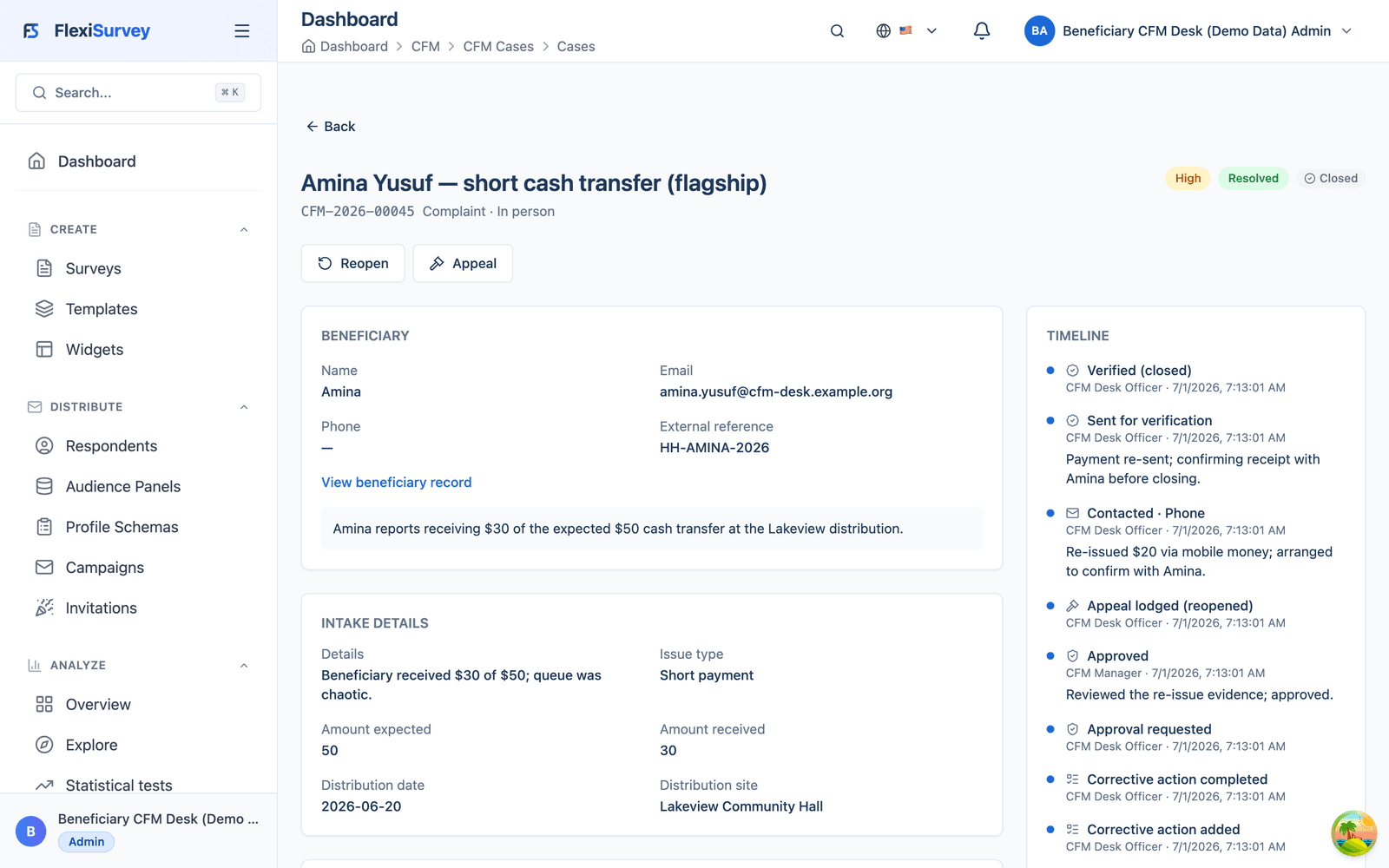
Amina Yusuf attended a cash distribution at Lakeview Community Hall and received $30 of the expected $50. She raises it at the help desk. From that moment, FlexiSurvey treats her complaint as a tracked, accountable case, not a note in a spreadsheet. This page walks her complaint through the entire lifecycle, so you can see exactly how a credible, auditable feedback mechanism behaves.
Every screen below is the live product, captured from a working CFM desk with seeded demonstration data, not a mock-up. The workflow can support an organisation's CHS or IASC-aligned procedure; using the software does not on its own create compliance. CFM is available on the Organisation and Enterprise plans.
What you can do
9 pillars, each one expanded further down with bullets and a screenshot.
Structured intake
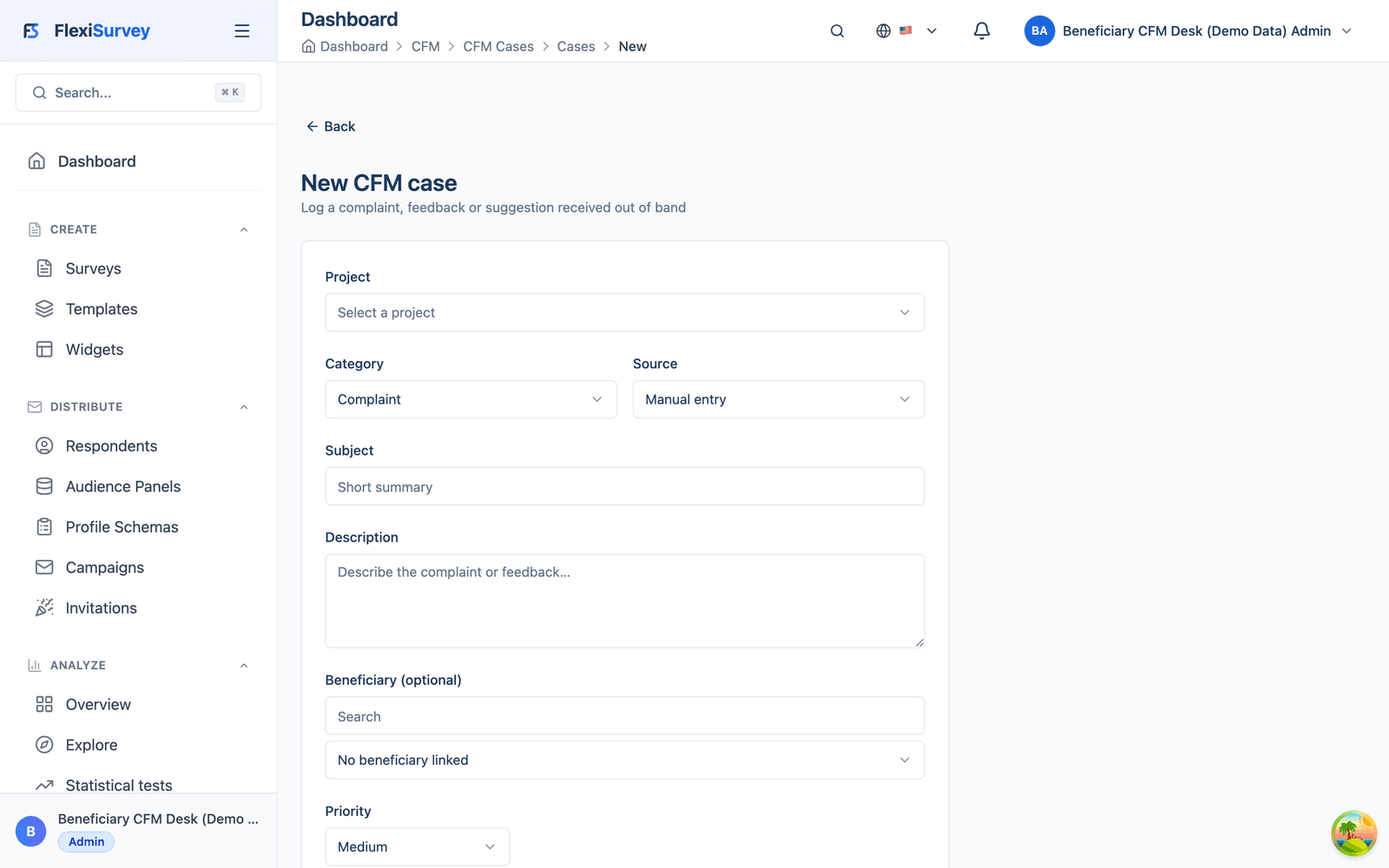
A configurable intake form captures category, what was expected vs received, where and when.
Tracked queue & SLA
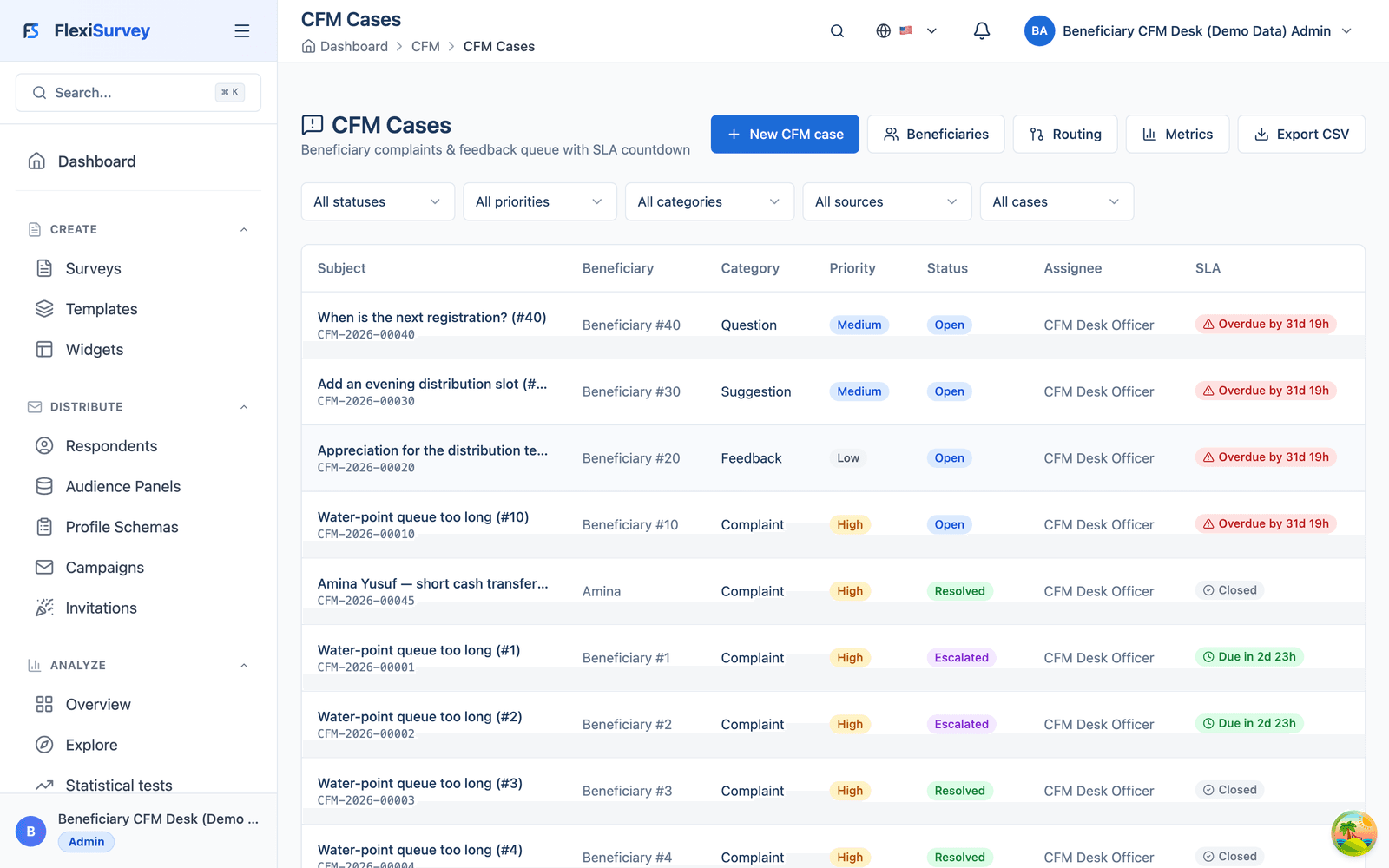
Amina's complaint joins the queue with a live SLA badge: overdue, due soon or closed.
Classification → SLA
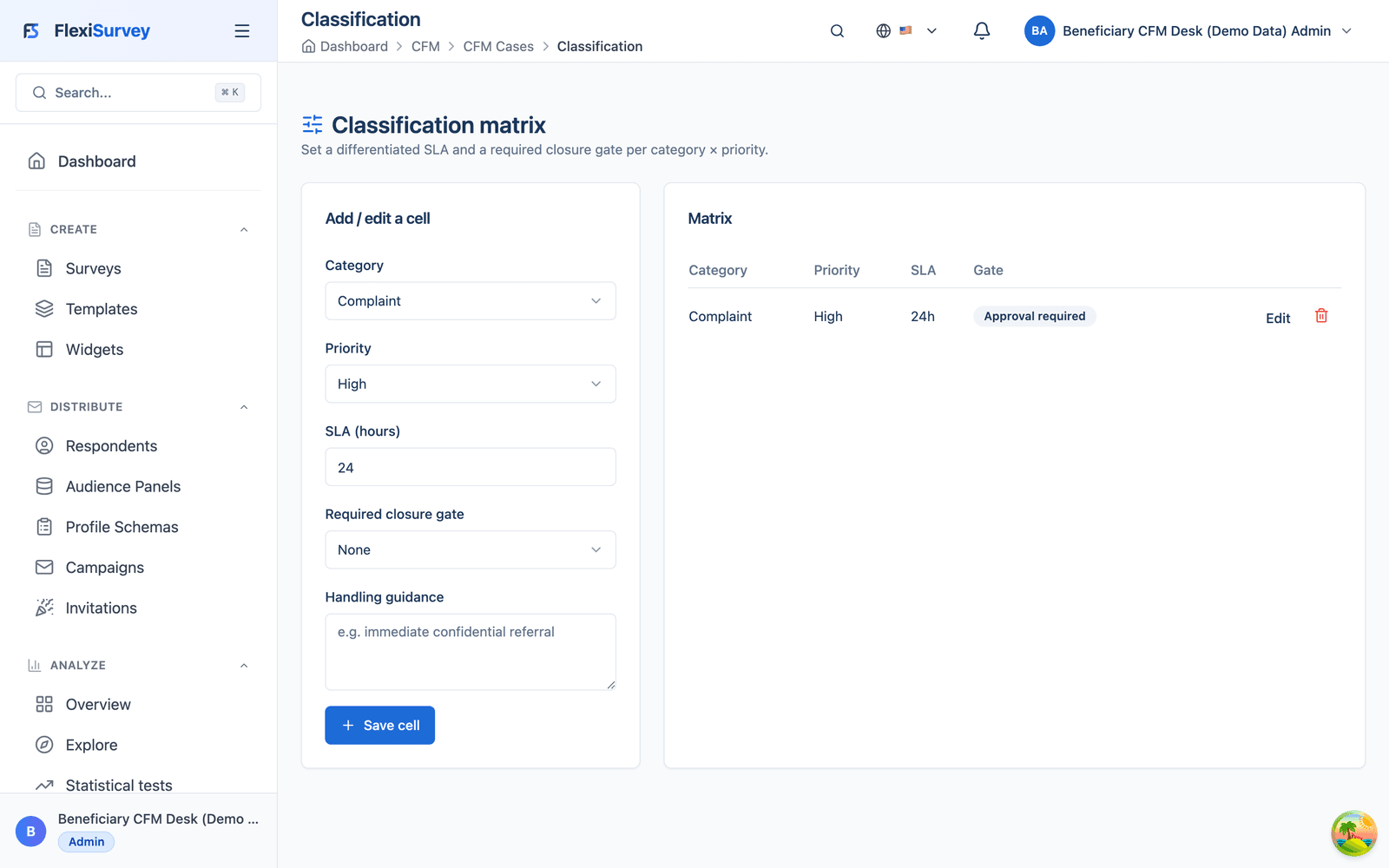
A category × priority matrix maps each case to a deadline and a closure gate.
Automatic routing
Routing rules assign the case on creation by category, priority or load. No manual triage.
Immutable timeline
The whole story in one record, with an event timeline that cannot be edited after the fact.
Separation of duties
No 'Resolve' shortcut on a gated case, and no one can approve their own work.
Privacy-safe metrics
SLA compliance, satisfaction and appeal rate, with small groups suppressed automatically.
Grounded AI summary
One click drafts a plain-language summary from the real figures, never invented numbers.
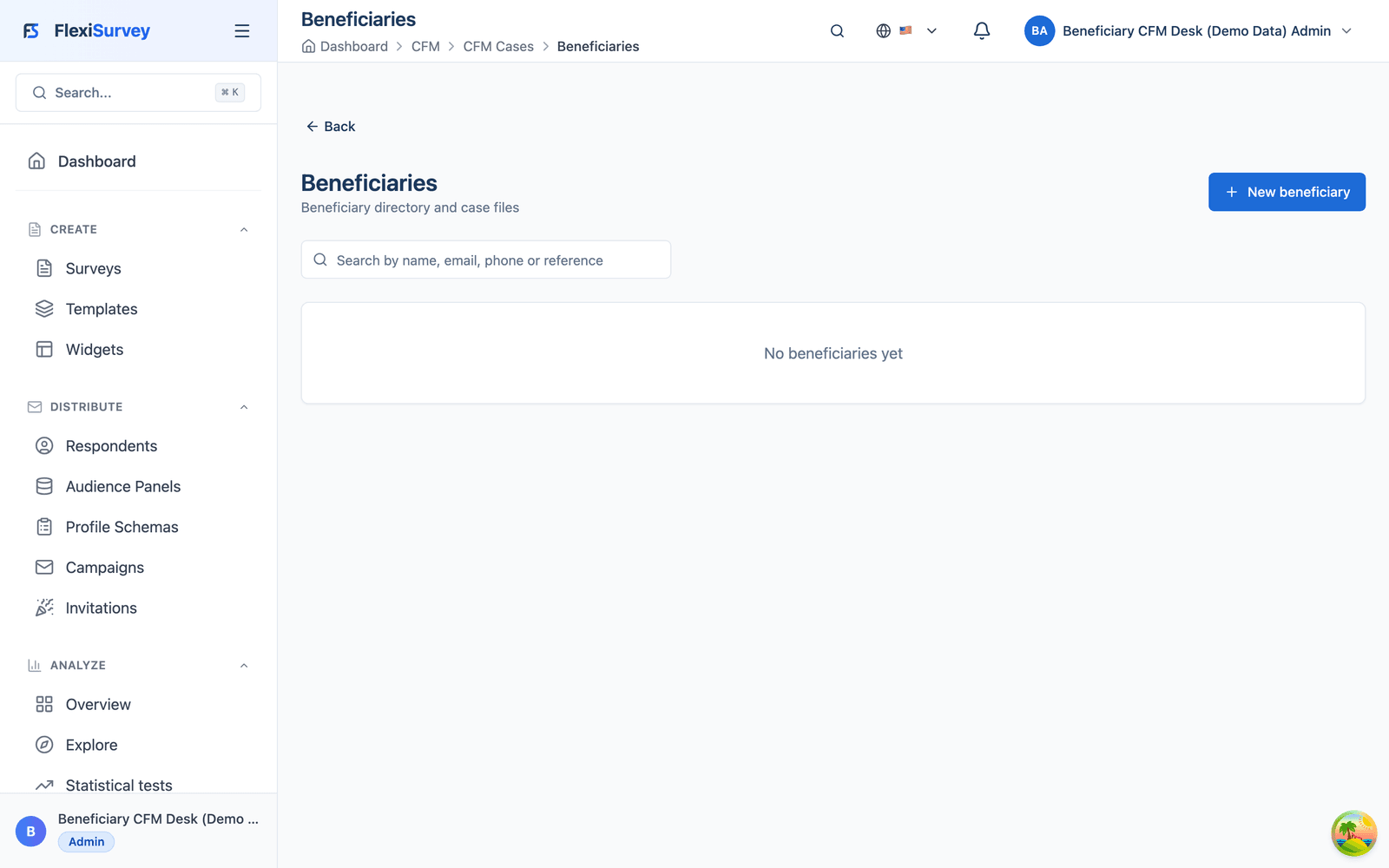
Beneficiary registry
Each complainant has a record, so repeat contact, history and follow-up stay connected.
1. Intake is structured, not a free-text box
A desk officer opens a new case on a configurable intake form. The fields are deliberate: category, what was expected versus received, where and when. Consistent capture at the front door is what makes every later step (classification, SLA, routing and reporting) possible and uniform.
- Configurable intake form, or staff-registered cases for phone, in-person and paper feedback
- Deliberate fields: category, expected vs received, location and time
- Consistent capture that downstream classification and reporting depend on
2. The case enters a tracked queue with a live SLA
Amina's complaint joins the CFM queue alongside every other case. Each row carries its category, priority, status, owner and a live SLA badge (overdue, due soon or closed), so nothing quietly slips. The queue is the accountability cockpit: at a glance you see what's breaching, what's escalated and who owns it.
- One queue for every case, whatever channel it arrived through
- Category, priority, status and owner on every row
- A self-updating SLA badge keeps every deadline visible
3. Classification decides the deadline and the closure gate
A classification matrix maps each category and priority to a response deadline and a closure gate: the control that decides whether a case can be closed on the officer's say-so, or needs independent approval, or needs beneficiary verification first. The rules are explicit and configurable, so accountability standards apply uniformly rather than case by case.
- Category and priority set the response deadline
- Each class carries a closure gate: none, approval or verification
- Explicit, configurable rules applied uniformly
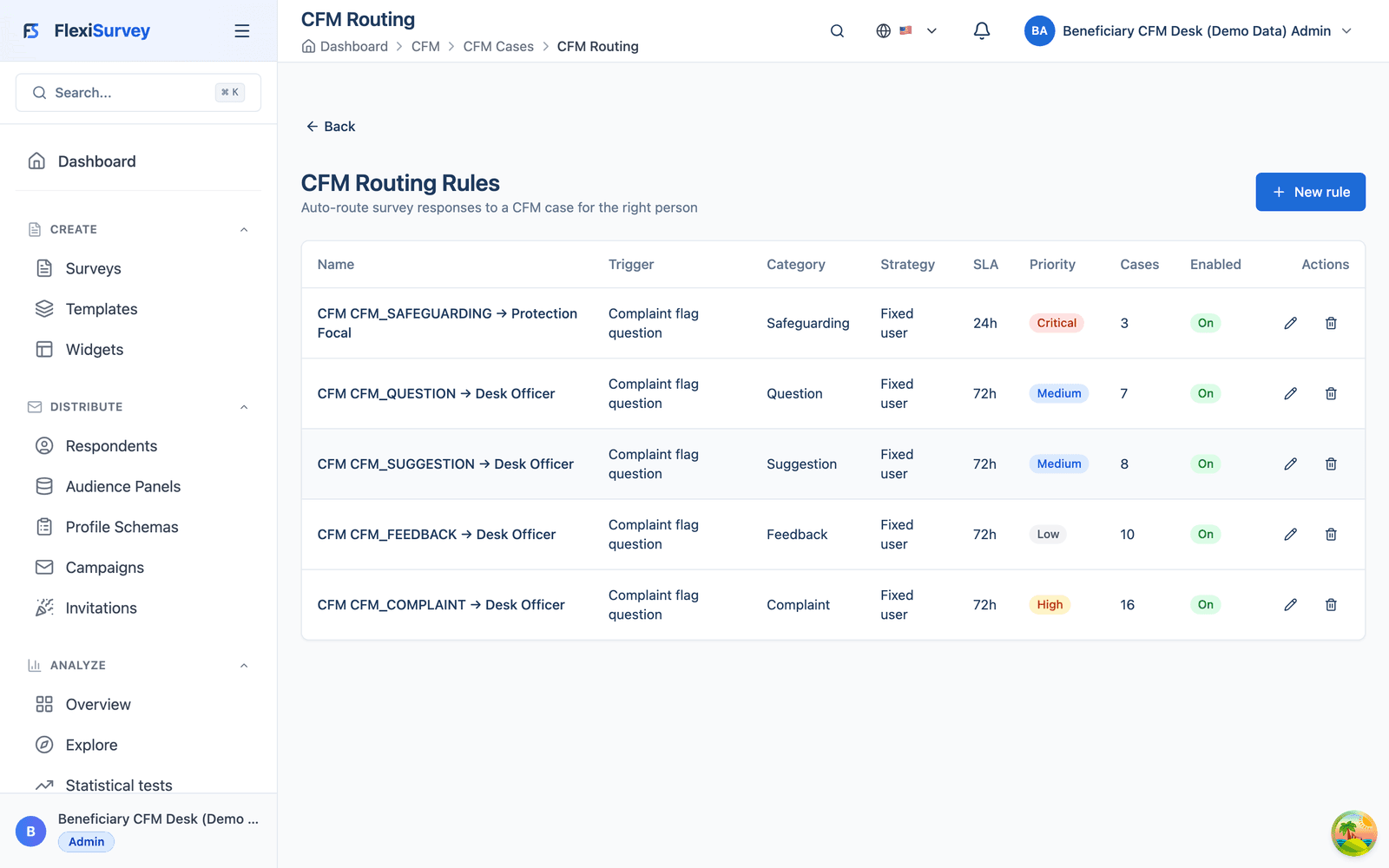
4. Routing puts the case in the right hands automatically
Routing rules assign the case to the right officer or team the moment it is created, by category, priority or workload, so there is no manual triage bottleneck. You can dry-run any rule over recent cases before you activate it.
- Assign by category, priority or load on creation
- Escalate as a deadline approaches and notify the right people
- Dry-run a rule over recent cases before activating it
5. One case file, one immutable timeline
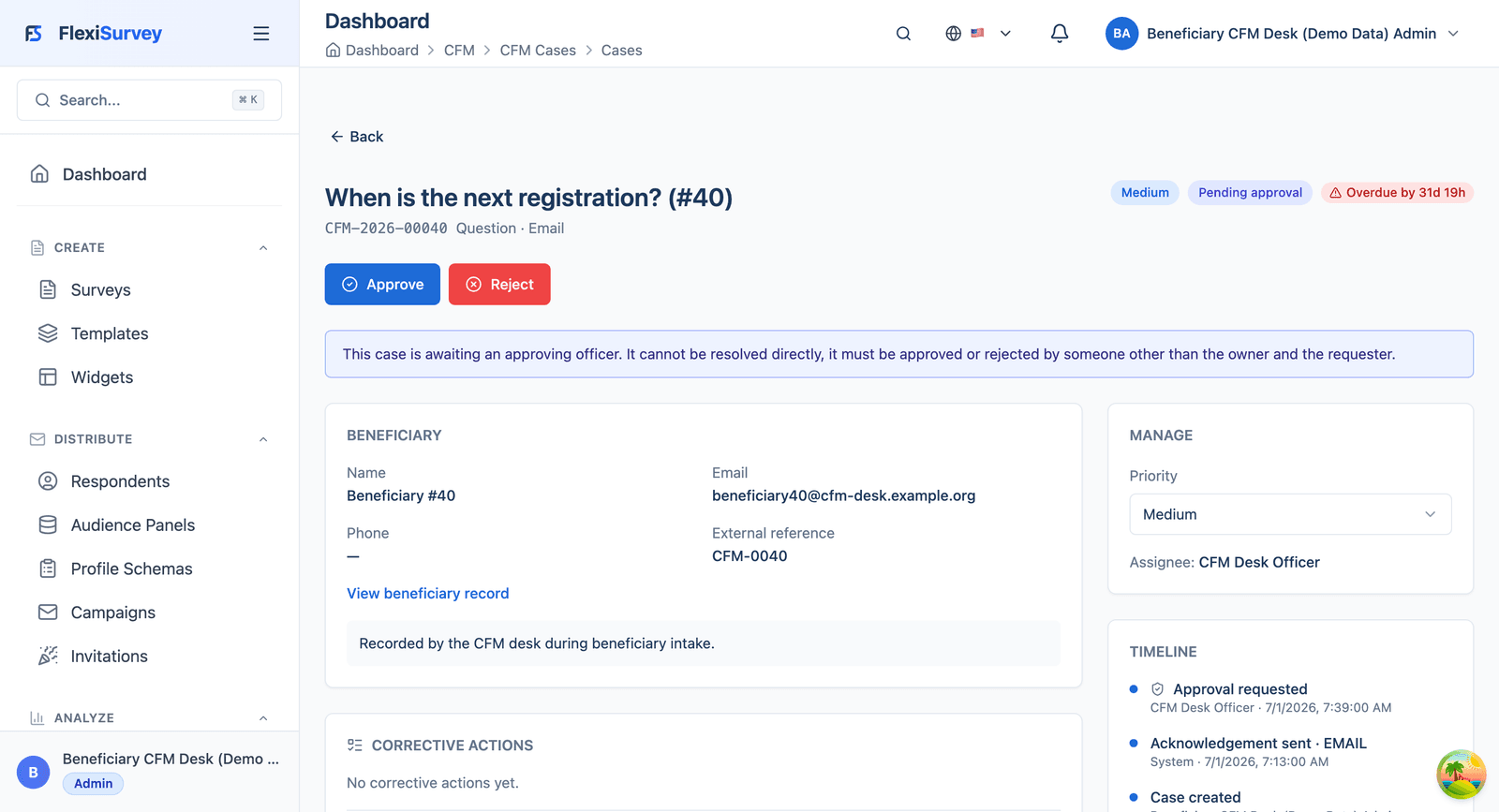
Open Amina's case and the whole story is in one place: the beneficiary, the intake details ($30 received of $50 expected, Lakeview Community Hall), the classification, the SLA and the closure gate, beside an immutable event timeline that records exactly what happened, who did it and when. Read it top to bottom and you can reconstruct the entire accountability chain: acknowledged, contacted, corrective actions logged, approval requested and granted, appeal raised, resolution verified with the beneficiary.
- Beneficiary, intake, classification, SLA and gate in one record
- An event timeline that records who did what, and when
- The audit trail a donor, auditor or ombudsman would ask for, uneditable after the fact
6. The controls that stop shortcuts
This is where FlexiSurvey earns trust. When a case is awaiting sign-off, the product withholds the shortcut and says so plainly: there is no 'Resolve' button, only Approve or Reject, and an in-product banner spells out that the case must be approved or rejected by someone other than the owner and the requester. The two classic accountability failures (closing a case to beat the clock, and signing off your own work) are designed out.
- A gated case offers Approve or Reject, never a direct Resolve
- The owner and requester cannot approve the case
- Separation of duties is enforced by the system, not left to good intentions
7. Accountability you can report on, without exposing individuals
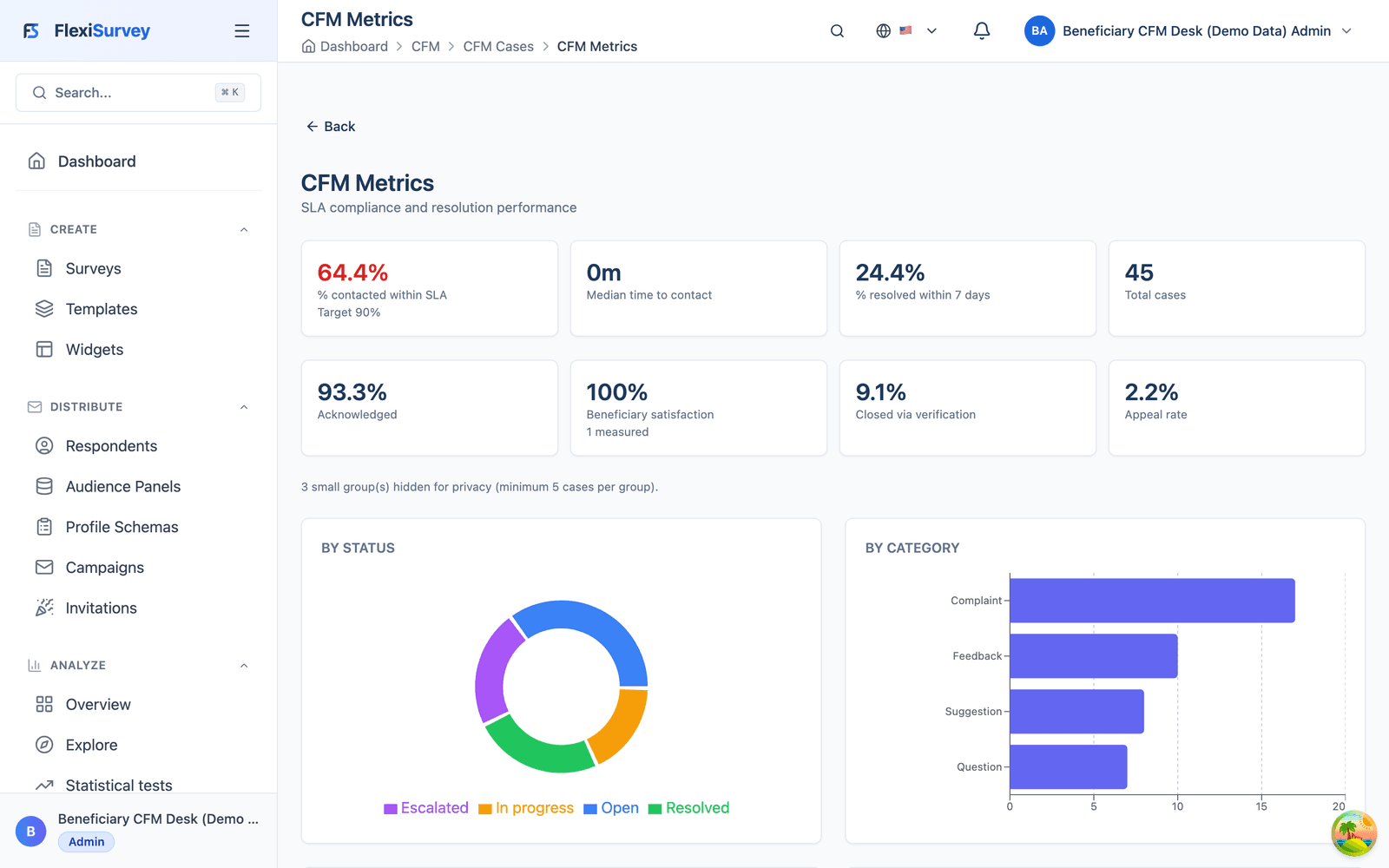
The metrics view turns the whole caseload into accountability evidence: SLA compliance, time-to-contact, share resolved within target, acknowledgement rate, beneficiary satisfaction, share closed via verification and appeal rate, plus status and category breakdowns. Small groups are suppressed automatically (a minimum group size), so aggregate reporting never re-identifies an individual complainant.
- SLA compliance, satisfaction, verification and appeal rates
- Status and category breakdowns for a board or donor
- Small-cell suppression protects individuals by design
8. A grounded AI accountability summary
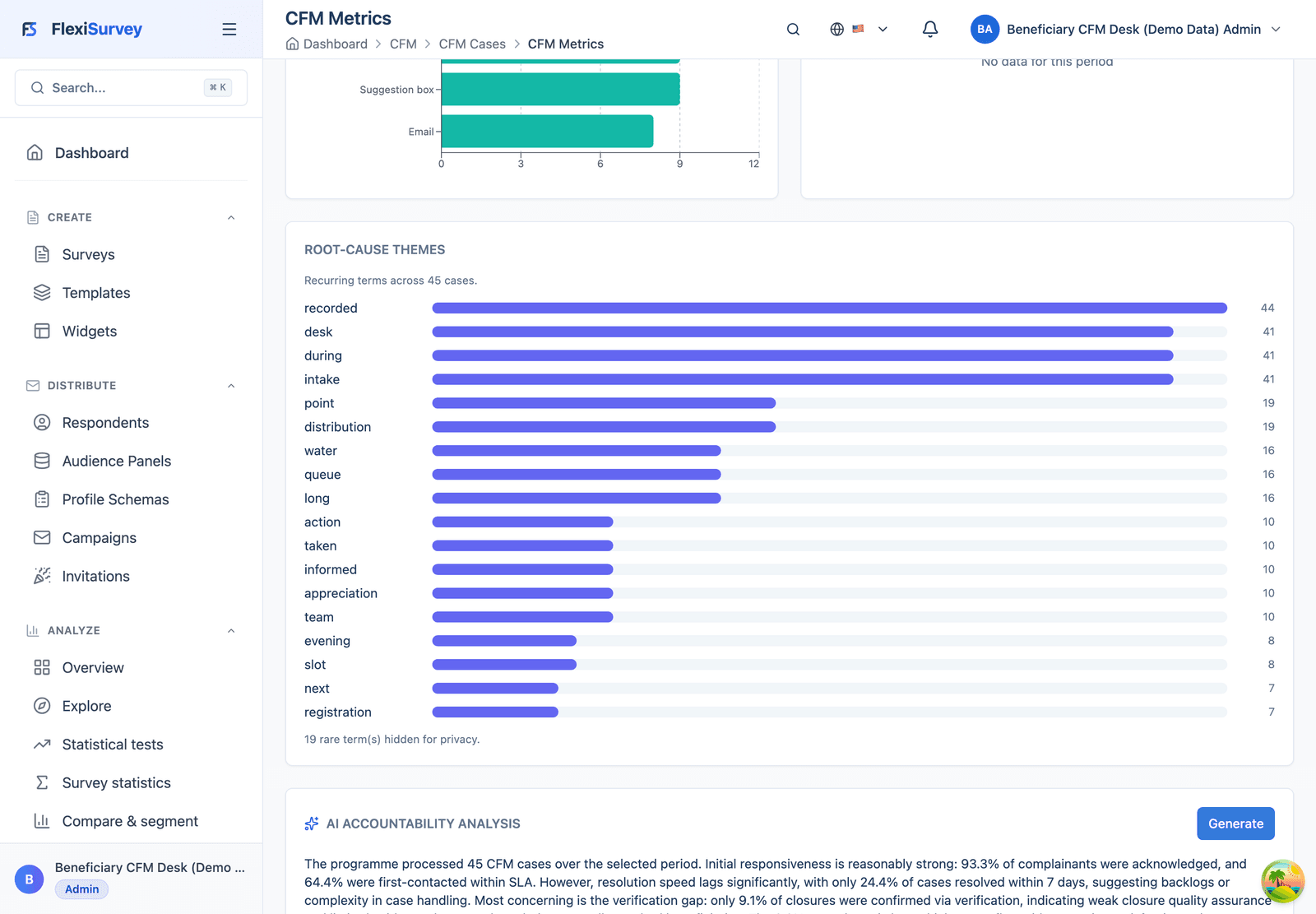
One click drafts a plain-language accountability summary grounded in the figures above. It reads the real metrics and writes the summary, including the uncomfortable parts such as a weak verification rate, and never introduces a number that isn't in the data. It sits beside a root-cause themes panel, with rare terms hidden for privacy. A donor- or board-ready narrative in seconds, grounded and privacy-safe. Not a black box.
- Summarises the metrics you can already see
- Flags the genuine weak spots instead of glossing over them
- Never invents a figure that isn't in the data
9. Beneficiaries are first-class records
Each complainant has a record, so repeat contact, history and follow-up stay connected to the person instead of scattered across cases. CFM runs independently: a complaint can arrive by help desk, hotline, in person, WhatsApp or email, with no survey required, and connects to the wider MEAL system when you want feedback to inform programme decisions.
- A record per complainant, with linked cases and history
- Repeat contact and follow-up stay connected to the person
- Runs independently, and connects to MEAL when you want it to
How it works
The typical flow from setup to output.
Map your workflow
Bring your complaint categories, SLA matrix and closure gates. We map them to FlexiSurvey CFM in the walkthrough: your rules, not ours.
Open the channels
A public form, help desk, hotline, in person, WhatsApp or email: every route lands in one tracked queue with a live SLA clock.
Report with confidence
SLA compliance, satisfaction and recurring themes, with small-cell suppression built in, ready for a board, auditor or donor.
Plays well with
Adjacent capabilities and solution pages you might want to read next.
The full CFM feature: intake, classification, routing, governed resolution and learning.
Accountability is the A in MEAL, sitting beside your results framework and donor reporting.
Close-the-loop routing can also trigger from survey responses, not only complaints.
See Amina's case in the live product
Book a walkthrough and we'll open this exact case with you (the queue, the gated approval, the appeal and the grounded AI summary, end to end), then map it to your categories, SLA matrix and reporting periods.
Talk to our team