Case study · Survey operations, end to end
Organisation planFrom first login to decision-ready customer insight
Follow one software company through a complete product-feedback cycle in FlexiSurvey: from registering the workspace and modelling departments, teams, users and scoped permissions, through building, reviewing and approving a survey, distributing it across four channels, reviewing data quality, analysing results and reusing the whole thing for the next quarter. Every screen below is the live product.
Cedar & Coast Technologies runs Cedar Connect, a customer portal. After a major release they want to understand satisfaction, usability, missing features and recurring problems, so their Survey Operations team runs one six-week feedback cycle. This case study follows that cycle end to end: a new organisation configures its departments, teams, users, permissions and delegations, then builds, reviews, distributes, analyses and reuses a Product Feedback Survey, all in the live product.
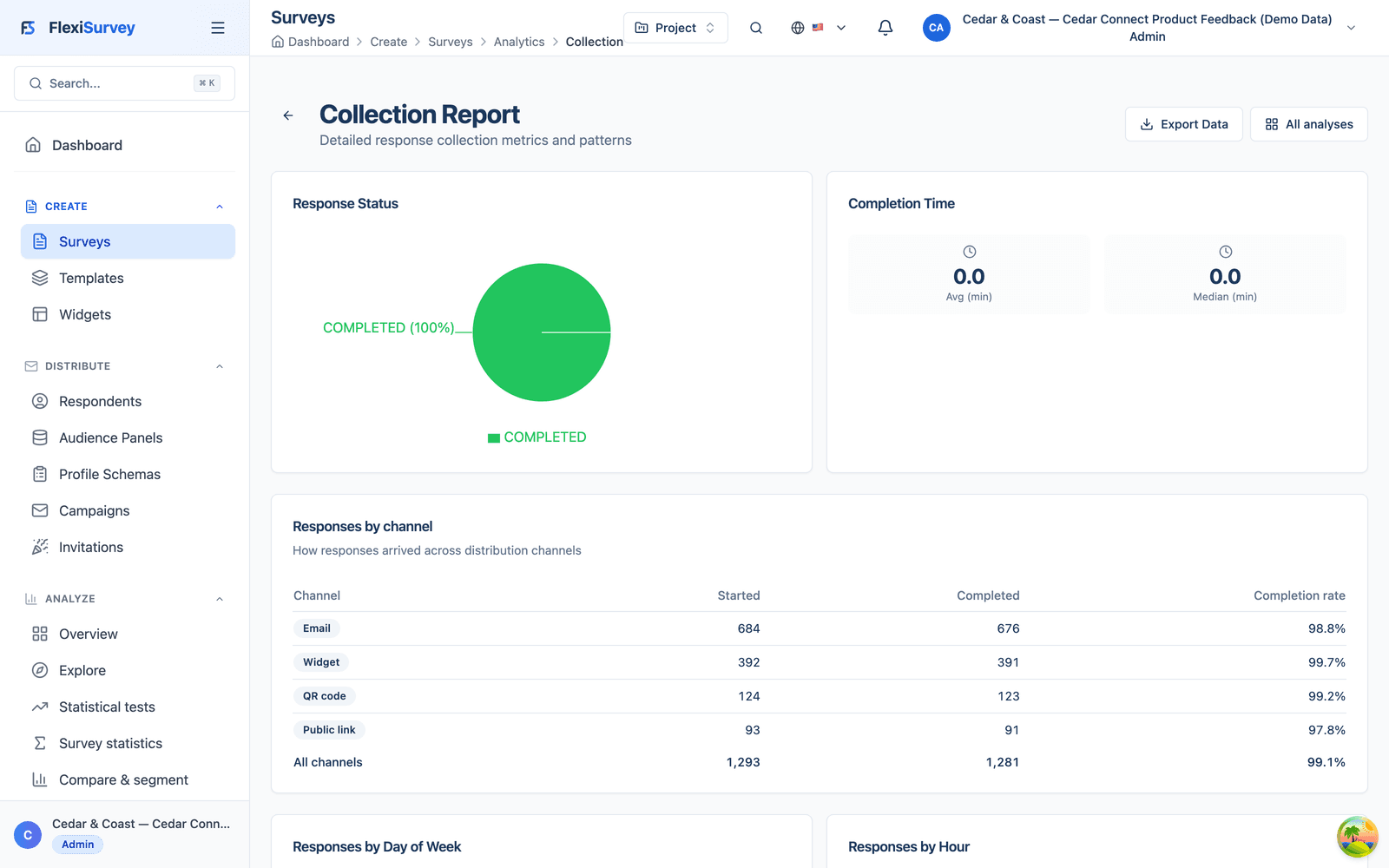
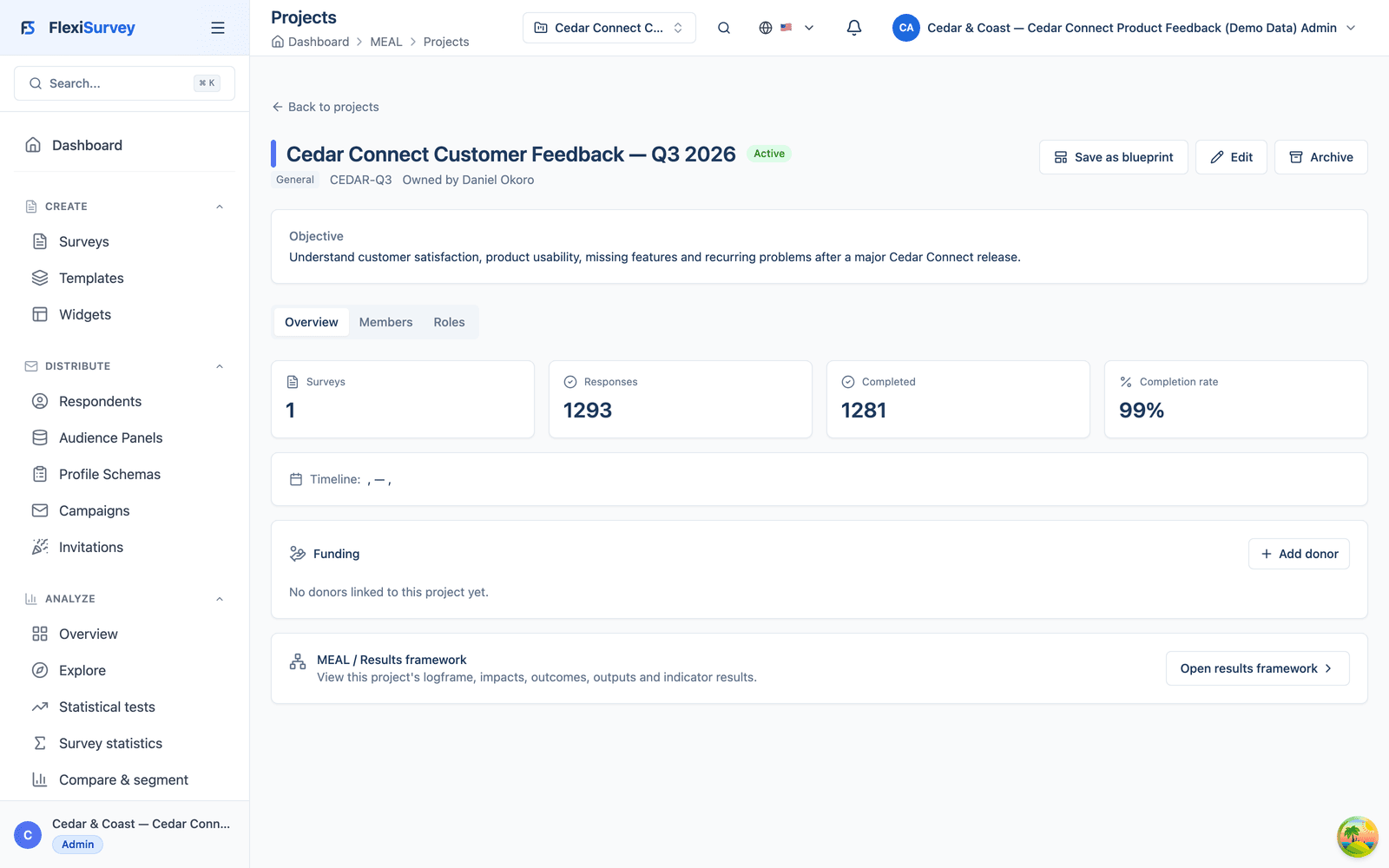
Cedar & Coast, its people and the figures are fictional demonstration data; the workflows, roles and results are real and reproducible against the running product. The survey collected 1,293 responses across four channels; after a human quality review excluded 12, exactly 1,281 approved responses formed the analysis dataset. The main website explains what FlexiSurvey can do; this walkthrough shows a new customer doing it, from account registration to a result the whole organisation can use.
What you can do
13 pillars, each one expanded further down with bullets and a screenshot.
Departments & teams
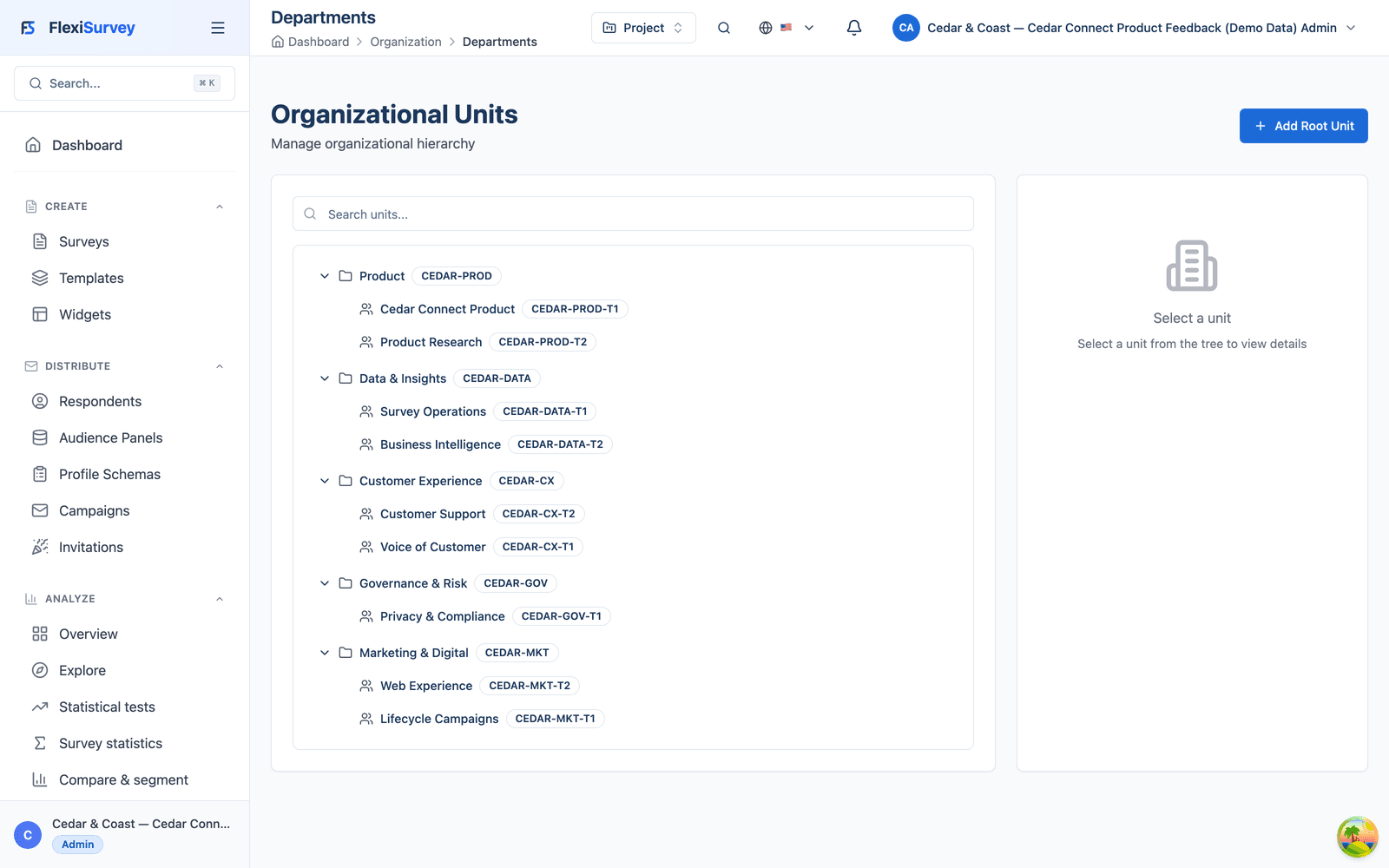
Five departments and nine teams become an org-unit hierarchy that scopes everything below it.
Scoped roles
Built-in and custom roles, granted at organisation, department, project or single-survey level.
Effective-access preview
One screen resolves every role and delegation into a plain yes/no list, with the source of each grant.
The feedback project
A time-bounded project owns the survey, its recipients, dashboards, approvals and audit, with its own project-scoped roles.
Templates, both ways
Clone a shipped Product Feedback template to start, then save the finished survey as a reusable Cedar & Coast template.
Logic & computed values
Branching adapts the survey to each answer, and computed values classify respondents as they submit.
Saved logic test cases
Named journeys assert what each respondent should see, and run green before publish.
Multi-step approval
Product, Customer Experience, Privacy and Survey Operations each sign off, and no one approves their own work.
Version history & diff
Each publish snapshots the survey; any two versions compare side by side, question by question.
Multi-channel distribution
Personalised email, an in-product widget, a public support link and a webinar QR code, each tagged with its own source.
Live collection
A live view breaks completion down by channel as responses land, so operations can act mid-cycle.
Quality review
Flagged responses are reviewed by a person; excluded ones drop out of every downstream number.
Wave comparison
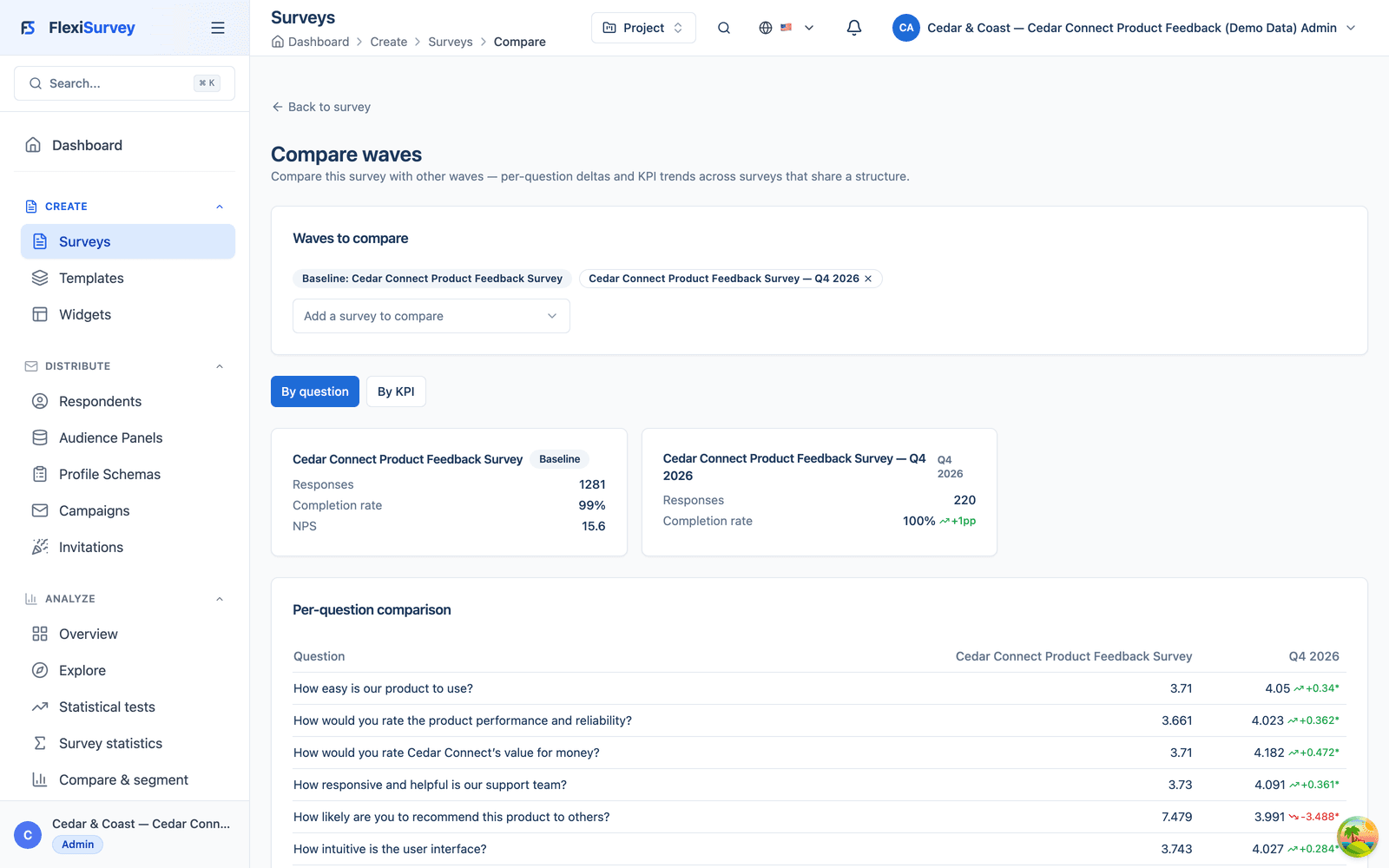
Clone the approved survey for Q4 and compare it against the Q3 baseline, question by question.
1. Model the organisation, not just a login
The administrator registers the Cedar & Coast workspace and models the real organisation: Product, Customer Experience, Marketing & Digital, Data & Insights and Governance & Risk, each with its own teams. The hierarchy is not decoration: it is the structure that later scopes who can see and do what. Survey Operations sits inside Data & Insights; Voice of Customer sits inside Customer Experience; and permissions can be granted to a whole department or a single team without touching anyone else.
- Organisation → department → team hierarchy, modelled once
- Org units scope roles, projects and dashboards further down
- Grant to a department or a single team, no blanket access
2. Invite the team and give everyone exactly enough access
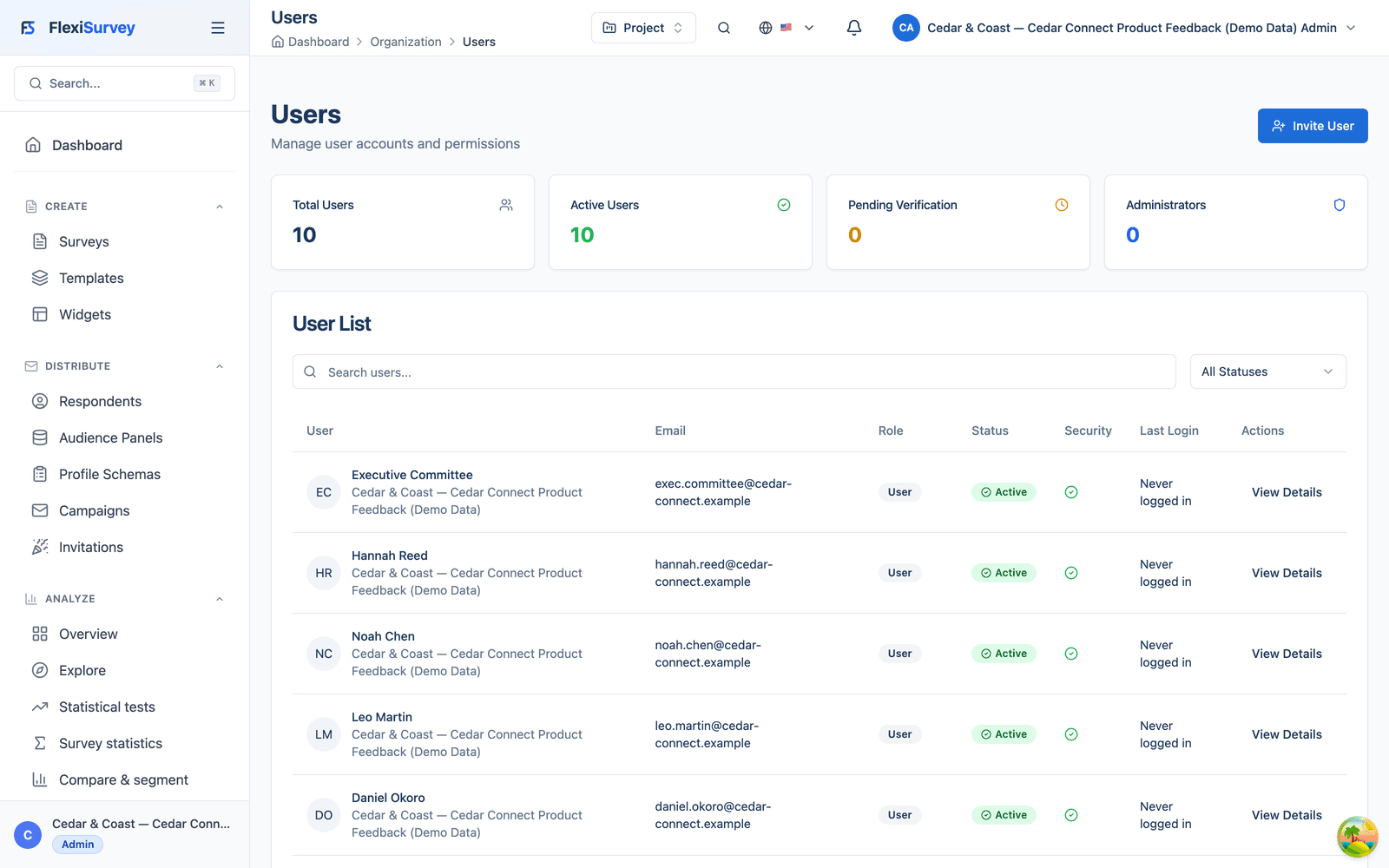
Ten people join with least-privilege roles built from atomic permissions. A Survey Operations Manager governs the Data & Insights department; a Survey Author edits questions on the feedback project; a Distribution Manager can prepare and send but cannot change a question; a Dashboard Viewer sees aggregate results only. Some roles are built-in, some are custom to Cedar & Coast, and each is granted at the right level (the whole organisation, one department, one project or one survey), so no one carries access they do not need.
- Built-in and custom roles, composed from atomic permissions
- Scoped at organisation, department, project or single-survey level
- A Distribution Manager can send but not edit; a Viewer sees aggregates only
3. See exactly what someone can do, before it matters
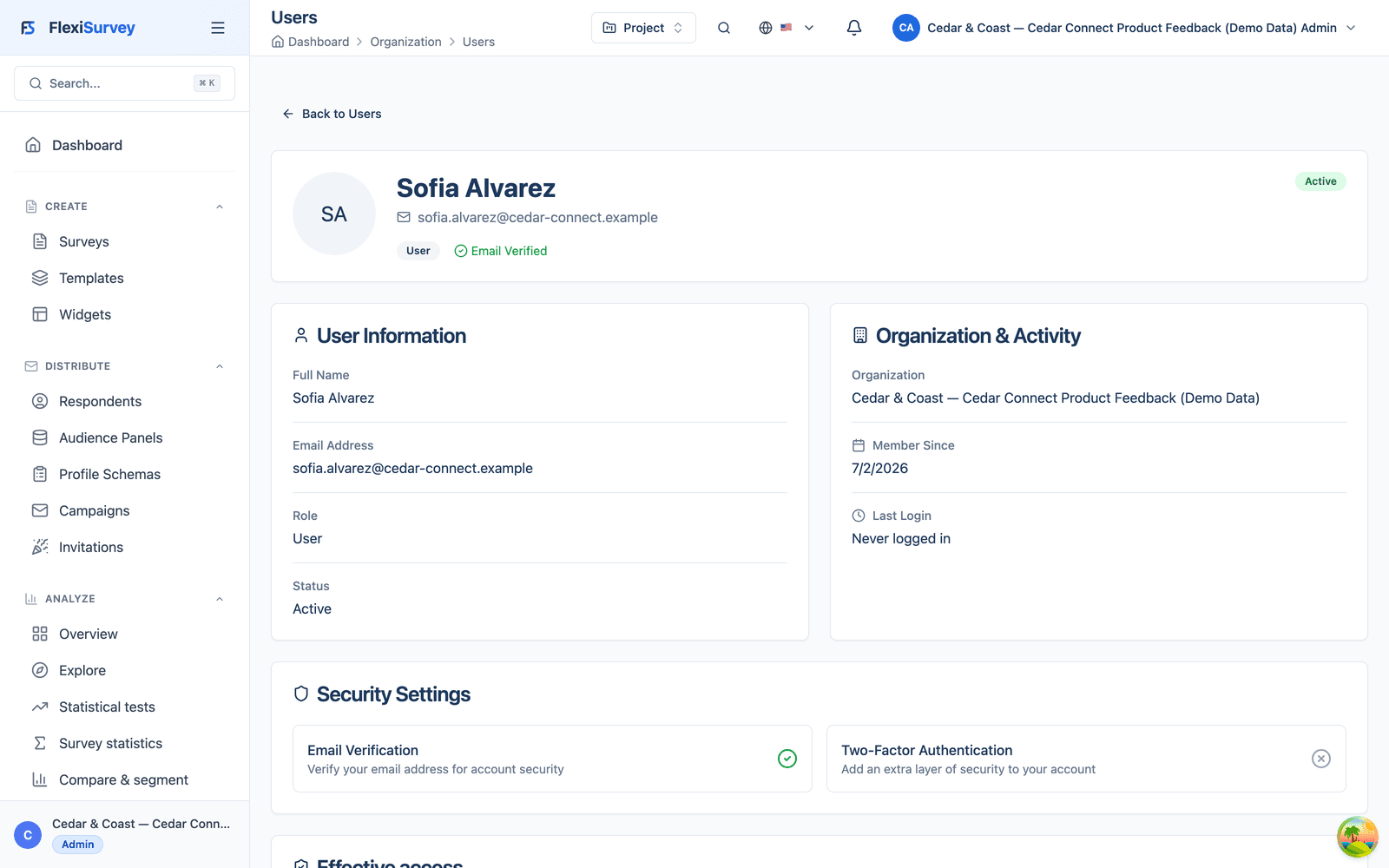
Roles, inheritance and time-bounded delegations combine in ways a role name alone does not reveal. The effective-access preview resolves all of them for a specific person and scope into a plain list (edit questionnaire: no; manage distribution: yes; view identifiable responses: no; view aggregate results: yes) and shows where each grant comes from. A manager can confirm least privilege is actually in force, rather than assuming it from a role label.
- Every role and active delegation resolved into one effective list
- Plain yes/no per capability, with the source of each grant
- Confirm least privilege is real instead of inferring it from a role name
4. Put the whole cycle inside one bounded project
The cycle lives in one project (Cedar Connect Customer Feedback, Q3 2026), owned by Survey Operations and sponsored by Product. The project holds the survey, recipient lists, distribution configs, dashboards, analysis notes, approvals and audit history in one place, and carries its own roles: an author and an analyst are granted access to this project only. When the manager takes leave, a time-bounded delegation hands publish-and-monitor rights to a colleague for exactly seven days, then expires on its own.
- One bounded project holds the survey, recipients, dashboards and audit
- Project-scoped roles grant access to this project and nothing else
- A seven-day delegation covers leave, then expires automatically
5. Start from a proven template, and save your own back
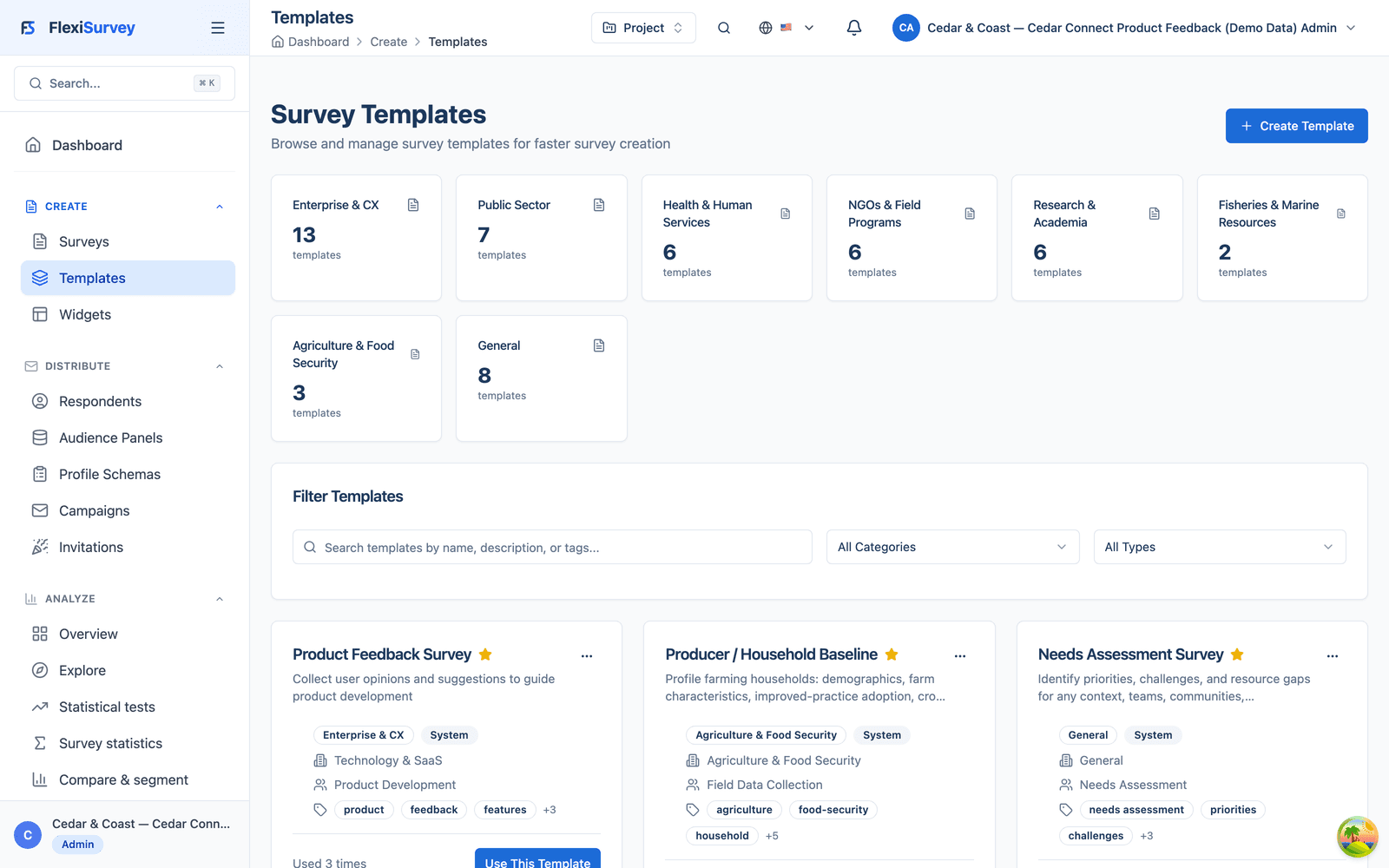
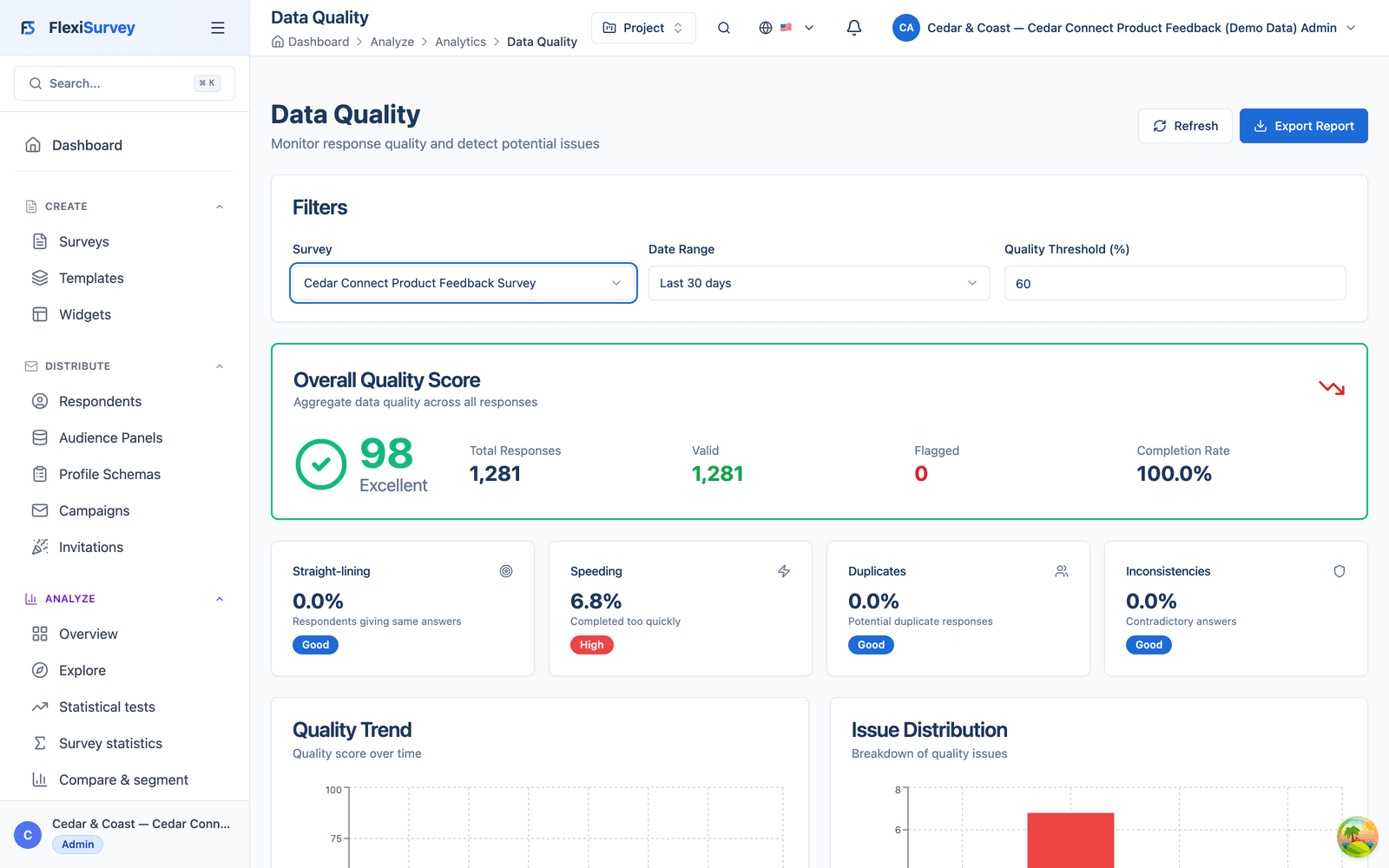
The author starts from a shipped Product Feedback template rather than a blank page; cloning it leaves the original untouched. At the end of the cycle the reverse move matters just as much: the finished, approved survey is saved as a Cedar & Coast organisation template, so the next quarter, and every other team, starts from the version that already passed review rather than from scratch.
- Clone a proven template to start; the original stays unchanged
- Save the finished survey back as an organisation template
- The next cycle starts from the version that already passed review
6. Build a respondent journey, not a flat form
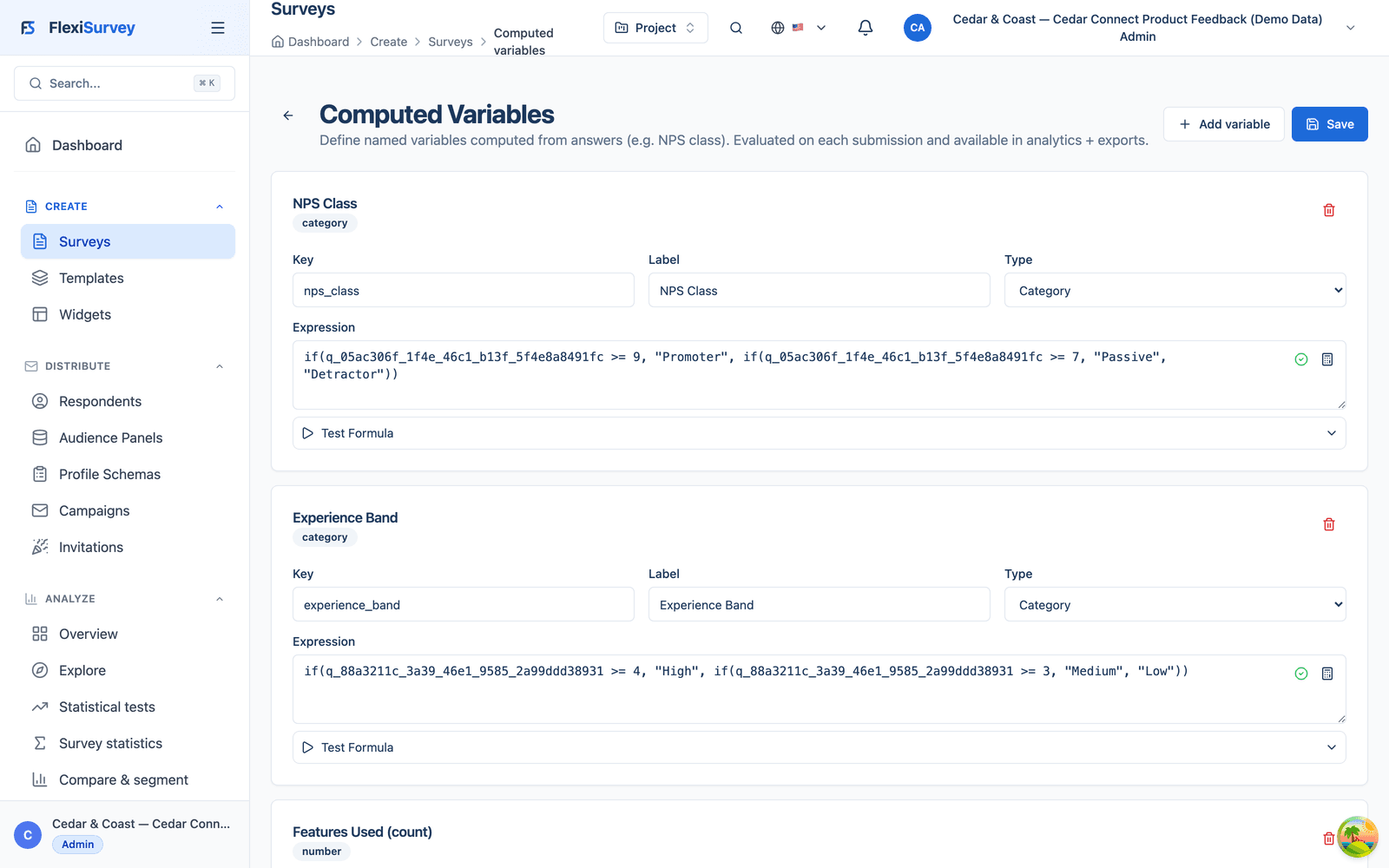
The survey adapts to each respondent: an ineligible customer ends early, a reported problem opens a problem-type question, contacting support reveals a support-satisfaction item, and a low recommendation score asks what most needs to change. Alongside the visible logic, computed values derive fields as each response is submitted (an NPS class of Promoter, Passive or Detractor; an experience band; a count of features used), so the analysis dataset arrives already classified, with no manual coding after the fact.
- Branching by eligibility, reported problems, support contact and NPS score
- Computed values classify each response on submit: NPS class, bands, counts
- Analysis starts from already-classified data, not raw answers
7. Test the logic before a single customer answers
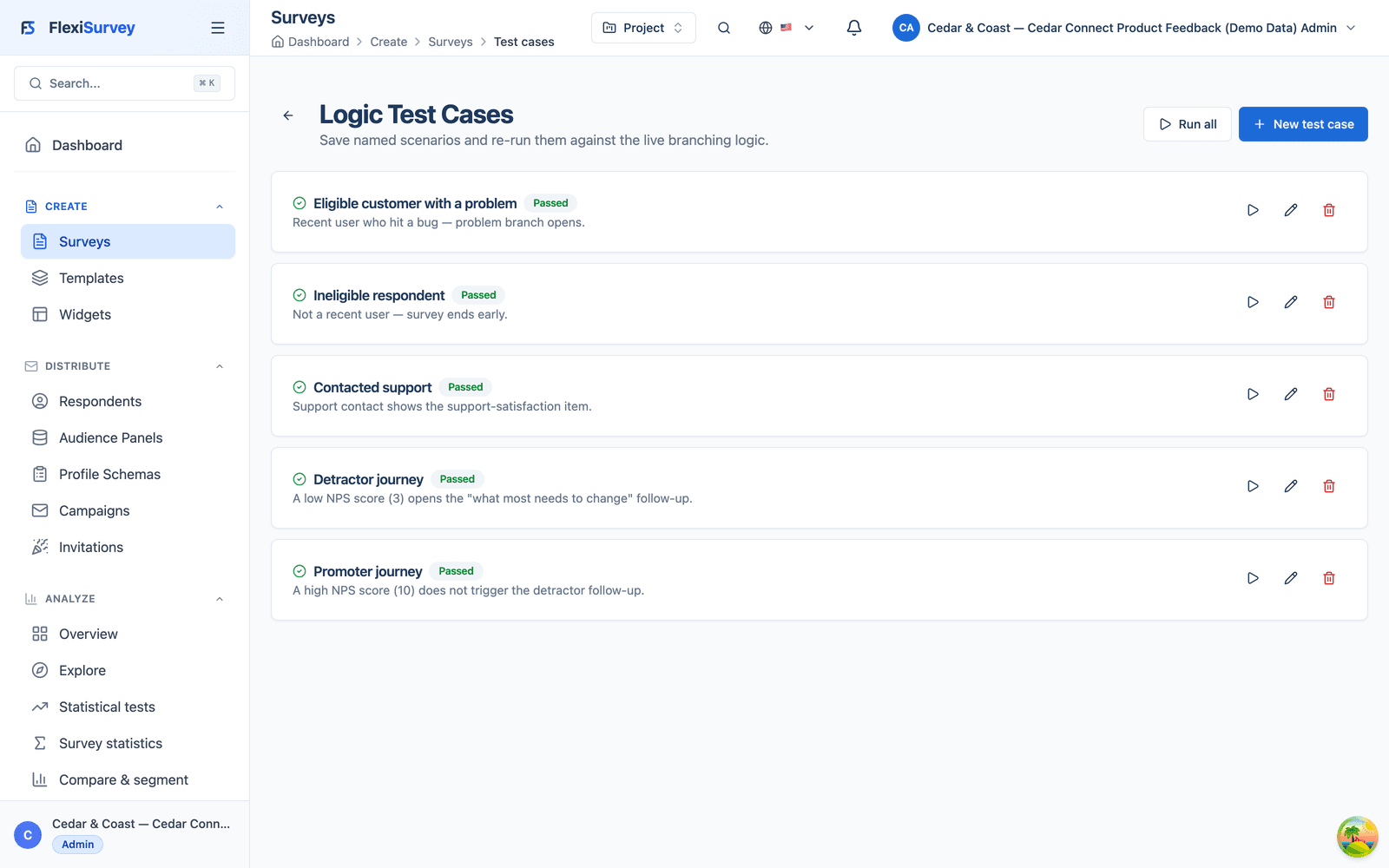
Complex branching is easy to get subtly wrong, so the author saves the survey's journeys as named test cases: an eligible customer with a problem, an ineligible respondent, a support contact, a detractor and a promoter. Each case pins the answers and asserts exactly which questions should appear. They run as a suite, all green, before the survey is published, so a broken skip pattern is caught in the builder rather than by a confused customer three days into fieldwork.
- Named journeys assert which questions each respondent should see
- Run the whole suite green before publishing
- Catch a broken skip pattern in the builder, not in the field
8. Review and approve through the right hands
Publishing is gated by a four-step approval: Product content, Customer Experience, Privacy & Compliance and a final Survey Operations sign-off, each recorded with who decided and when. Separation of duties is enforced (the person who submitted the survey cannot approve it), so the sign-off is a real control, not a rubber stamp. Only once every step is approved does the survey become publishable.
- A four-step approval across Product, CX, Privacy and Survey Operations
- Separation of duties: the submitter cannot approve their own survey
- Publish is blocked until every step has signed off
9. Keep every version, and see what changed
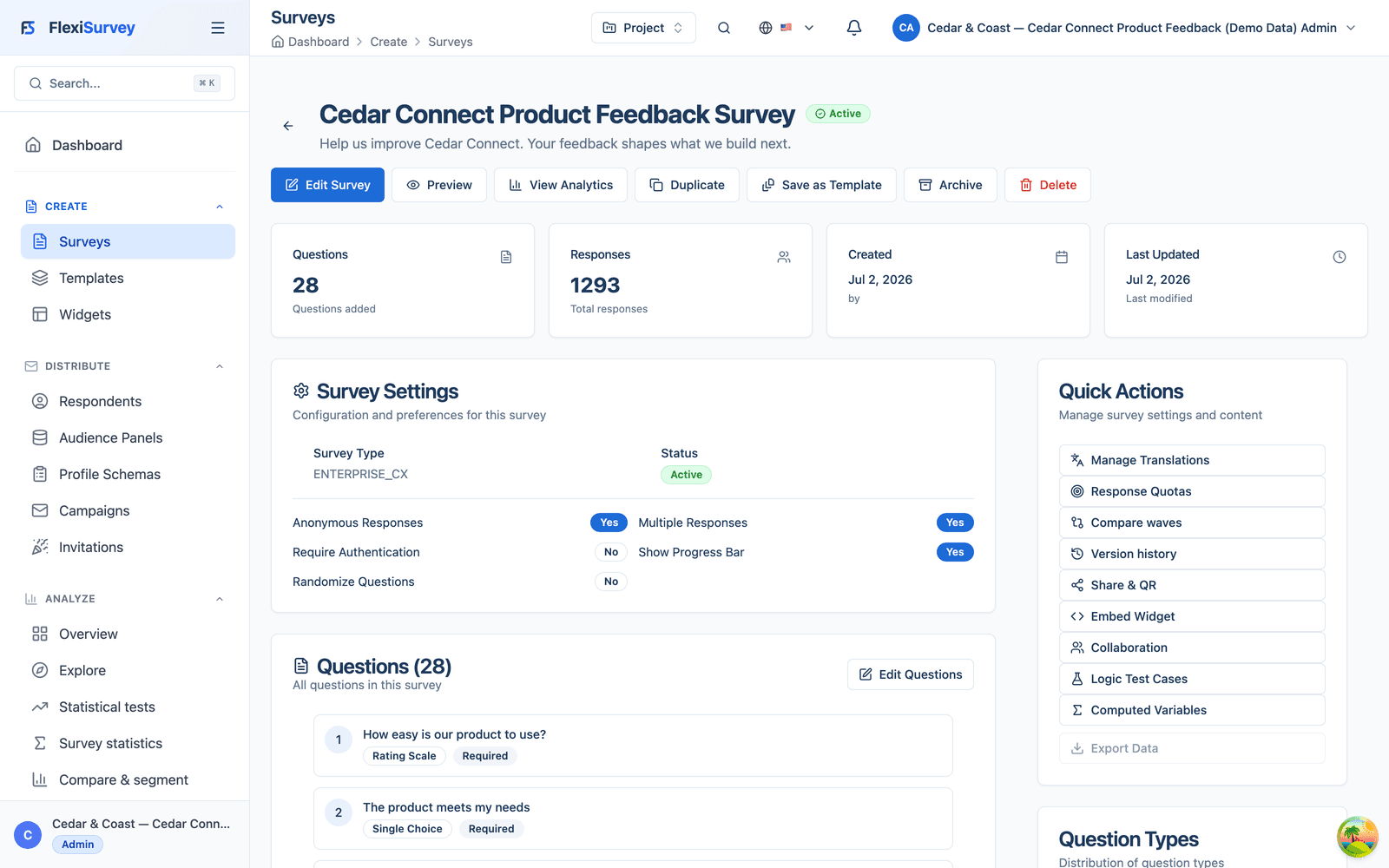
Every version of the survey is snapshotted, first as the initial draft and again automatically on publish, and any two can be compared side by side. When a reviewer asks for a wording change, the diff shows exactly which question changed, what was added or removed and what was reordered, so the approval conversation is about a concrete change rather than a vague recollection. The history stays with the survey for the life of the project.
- A version snapshot on the initial draft and automatically on each publish
- Compare any two versions question by question: changed, added, reordered
- Approval conversations reference a concrete diff, not a memory
10. Distribute across four channels, including a QR code
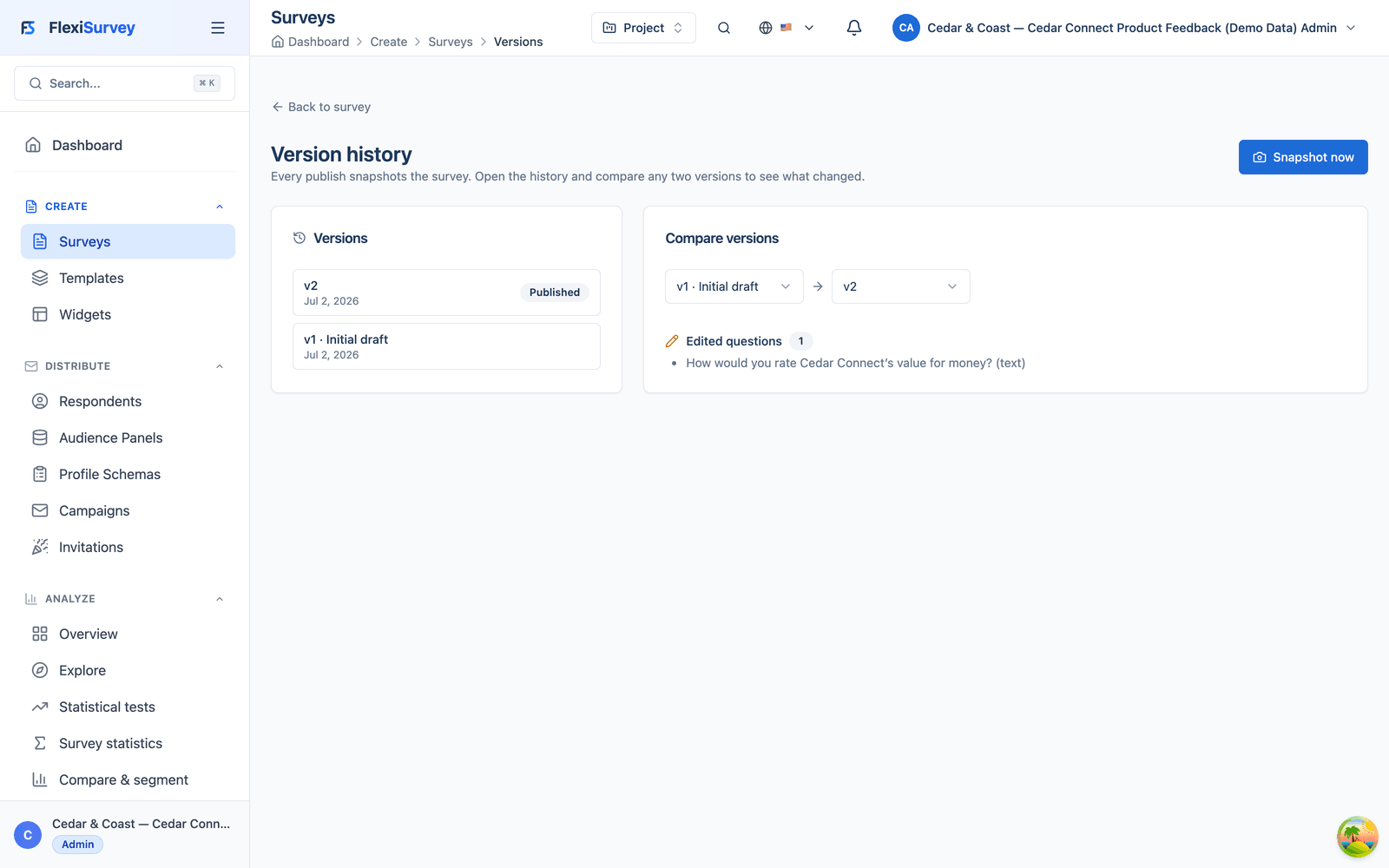
The same branded survey goes out four ways: personalised email invitations to opted-in customers, an embedded widget on the account dashboard, a public link on the support page, and a QR code shown during the release webinar. Each channel records its own source on every response, so the team can see not just how many people responded but how they arrived, without maintaining four separate surveys or guessing at attribution later.
- Email, in-product widget, public link and a scannable QR code
- Every response records the channel it came through
- One survey, four channels, clean per-channel attribution
11. Watch responses arrive, by channel, in real time
As responses arrive, a live collection view breaks them down by channel (how many came from email versus the portal widget versus the QR code versus the public link) alongside completion. Survey Operations can see mid-cycle that one channel is under-performing and send a reminder, rather than discovering it in a post-mortem. The channel breakdown is computed from the source recorded on each response, not entered by hand.
- Completion broken down by channel as responses land
- Spot an under-performing channel mid-cycle and act
- Computed from the source on each response, not hand-counted
12. Review data quality before you report
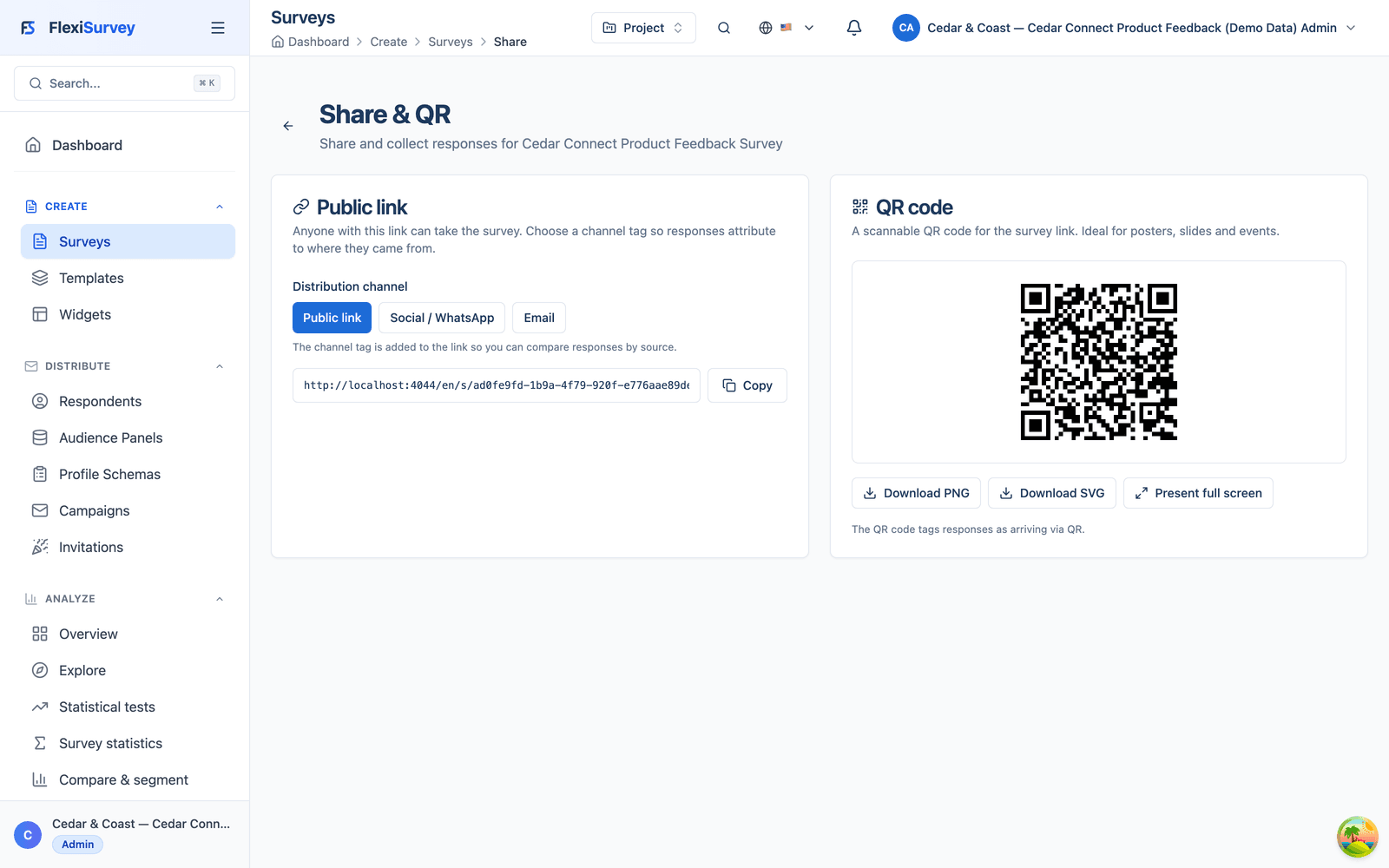
Before reporting, a reviewer works through flagged responses (unusually short completions, straight-lined ratings, likely duplicates) and excludes the ones that do not hold up. Of 1,293 completed responses, 12 are excluded and 1,281 approved. The exclusion is not cosmetic: rejected responses drop out of every downstream analysis and export, so a bad batch never quietly becomes a headline figure.
- A person reviews flagged responses: short, straight-lined, duplicate
- 12 excluded, 1,281 approved; the exclusion is recorded, not implied
- Rejected responses drop out of every analysis and export
13. Reuse it next quarter and compare the waves
The next cycle does not start over. The approved Q3 survey, saved as an organisation template, is cloned for Q4, and because the clone keeps each question's lineage, FlexiSurvey compares the two waves directly: per-question movement and headline KPIs like NPS, side by side, on the same yardstick. Cedar & Coast can show whether the changes they made after Q3 actually moved the numbers in Q4, rather than comparing two surveys that were never built to line up.
- Clone the approved survey for the next quarter, lineage preserved
- Compare waves question by question and on headline KPIs
- Show whether the changes you made actually moved the numbers
How it works
The typical flow from setup to output.
Bring your organisation
Bring your departments, teams and the people who run surveys. We model them as org units with scoped, least-privilege roles in the walkthrough: your structure, your rules.
Run one lifecycle
Build with logic and computed values, test the journeys, approve through the right hands, distribute across channels and review quality, all on one survey, in one project.
Report, then reuse
Analyse the approved dataset, save the survey as an organisation template, and clone it next quarter to compare waves on the same yardstick.
Plays well with
Adjacent capabilities and solution pages you might want to read next.
Survey-aware denominators, data-quality review and finding-to-action: the analysis behind the approved dataset.
The programme side of FlexiSurvey: one 24-month resilience programme from baseline to a frozen donor report.
One beneficiary complaint through the Complaints and Feedback Mechanism, intake to verified closure.
See the Cedar Connect cycle in the live product
Book a walkthrough and we'll open this cycle with you (the org structure and scoped roles, the survey logic and test cases, the multi-step approval, the four-channel distribution, the quality review and the wave comparison, end to end), then map it to your own teams, permissions and reporting.
Talk to our team