Access and governance
Give each person the access their work requires
Control permissions by organisation, project, survey and integration. Add approval gates where needed and keep a reviewable history of important actions. For the security architecture and assurance status, see Trust & Security.

Donor-funded programmes, government bodies and research teams do not get to treat access control as an afterthought. The people who answer your security questionnaire need to point at how data is segregated, who can see what, and where the audit trail lives. FlexiSurvey was built as a multi-tenant platform with governance as the foundation, so those answers already exist in the product.
This page is about what administrators configure: roles and scopes, the isolation boundary, field protection and operational controls. The deeper architecture, assurance status and policies, the evidence a reviewer verifies, live on Trust & Security so they can be kept current in one place rather than restated here.
What you can do
8 pillars, each one expanded further down with bullets and a screenshot.
Granular RBAC
Built-in roles or custom ones composed from granular permissions, scoped where work happens.
Database-level isolation
Tenant records protected by application checks and database row-level policies, not app code alone.
Encrypted in transit and at rest
TLS in transit, storage encryption plus AES-256-GCM field-level encryption of personal data at rest, and row-level security around every tenant's rows.
Operational controls
Consent and DSAR tooling, approvals, MFA, audit export and breach workflow.
Approval workflows
Route work through submit, review, approve or request-changes steps, with each decision recorded.
Change governance for configuration
Dashboards, profile schemas and similar artifacts carry version history, rollback and portable import/export.
Breach-notification workflow
An automated GDPR Article 33/34 workflow tracks the 72-hour deadline and the notifications it requires.
Row-level security you can inspect
The database-level tenant isolation policies can be viewed and audited from inside the product.
Assign roles at the right scope
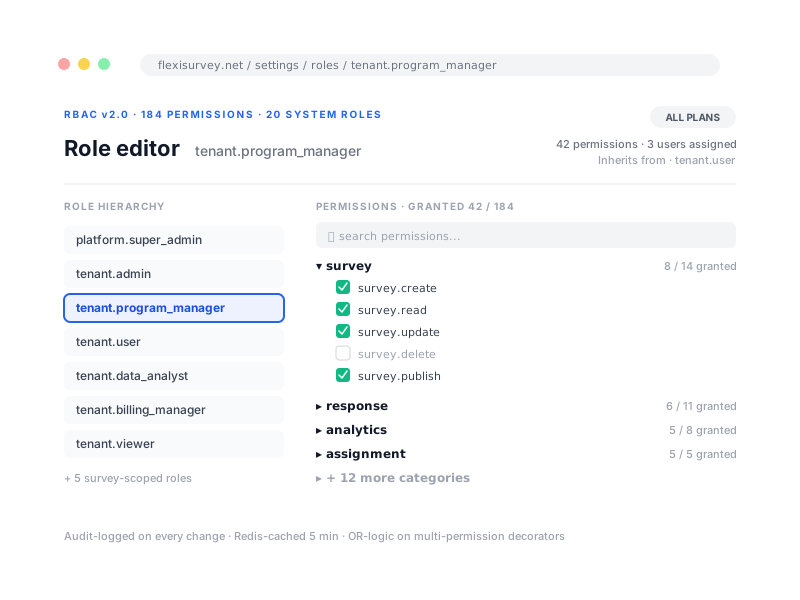
Use built-in roles or compose a role from granular permissions, then scope access to the relevant organisation, project, survey, region or API integration, so a data analyst, a programme manager and a read-only auditor each see only what their job requires. Permission checks stay fast under load, and custom roles need no code.
- Built-in roles across platform, tenant, survey and API scopes
- Compose custom roles from granular, atomic permissions, no code
- Scope access to an organisation, project, survey, region or integration
- Fast checks under load
Enforce separation between organisations
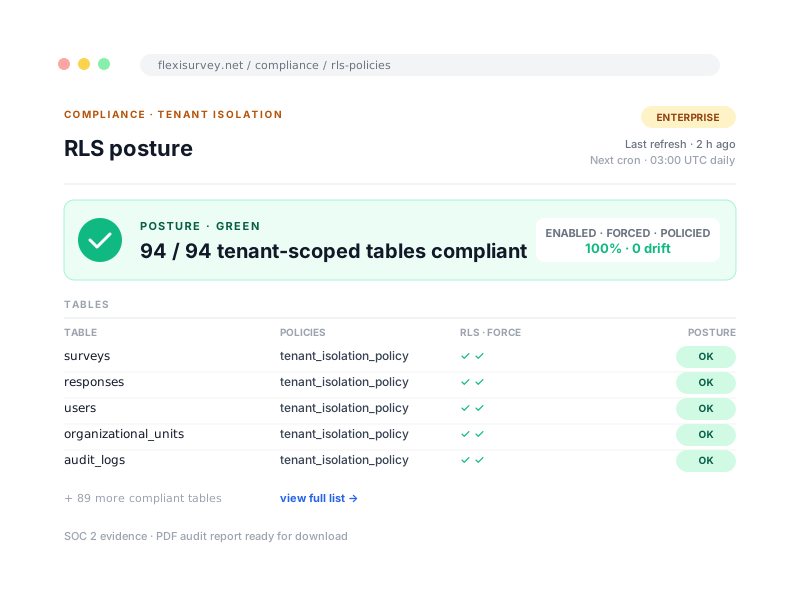
Most platforms enforce tenant separation purely in application code, where one missing filter can expose another organisation's data. FlexiSurvey enforces it at two layers: the application runs as a database role that cannot bypass row-level security, and every tenant-scoped table carries a policy that returns zero rows unless the current tenant context matches. For anyone whose obligations require demonstrable segregation, that is the difference between trusting a code review and pointing at a policy the database itself enforces. See Trust & Security for the current coverage and test approach.
- Tenant records protected by application checks and database row-level policies
- The application runs as a role that cannot bypass row-level security
- Defence in depth, an app-layer bug alone cannot leak cross-tenant data
- Platform support access is policy-governed and recorded in the audit trail
Protect sensitive fields
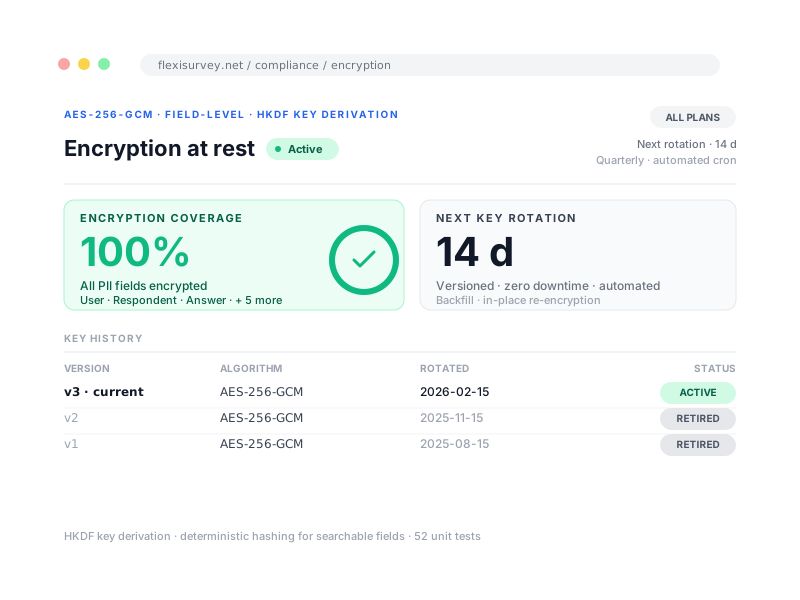
Data is encrypted in transit with TLS and at rest with AWS-managed storage encryption covering the database and file store. Personal data fields (names, phone numbers and survey answer values) are additionally encrypted at the application level with AES-256-GCM field-level encryption before they reach the database. Tenant rows are isolated by database-enforced row-level security, so a query that misses a tenant filter returns nothing rather than someone else's data. The mobile apps encrypt collected data on-device (AES-256-GCM) until it syncs.
- TLS encryption for all data in transit
- AWS-managed storage encryption at rest for the database and file store
- AES-256-GCM field-level encryption of personal data (names, phone numbers, answer values)
- Database-enforced row-level security isolates every tenant's rows
- Mobile apps encrypt collected data on-device (AES-256-GCM)
Demonstrate operational controls
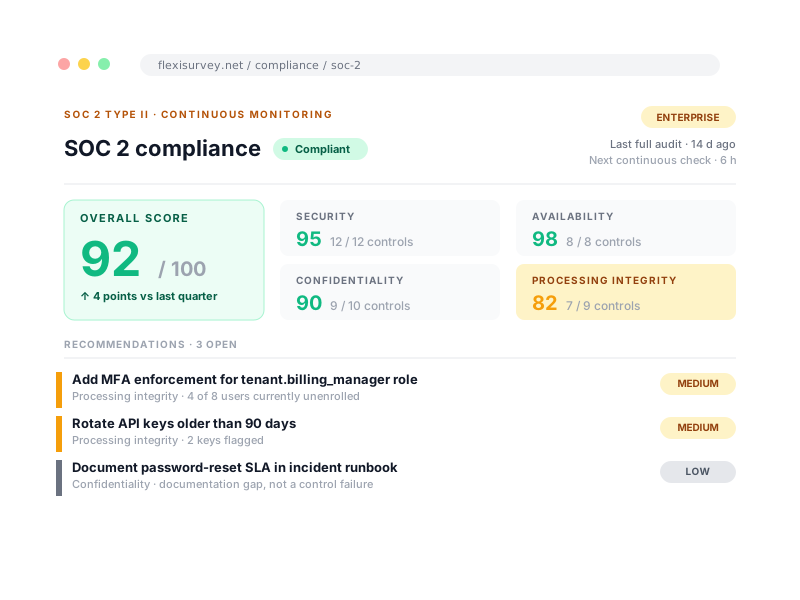
Compliance is hardest when it is a slide deck rather than a working system. FlexiSurvey ships the operational controls programmes are actually asked for: consent and data-subject request handling, approval and change history, authentication with multi-factor options, audit export and retention, and a breach workflow with deadline tracking. Continuous SOC 2-aligned control monitoring checks things like MFA enrolment and audit retention on a schedule; the assurance status itself is on Trust & Security.
- Consent and data-subject request workflows
- Approval and change history
- Authentication and multi-factor options
- Audit export and retention
- Incident and breach workflow with deadline tracking
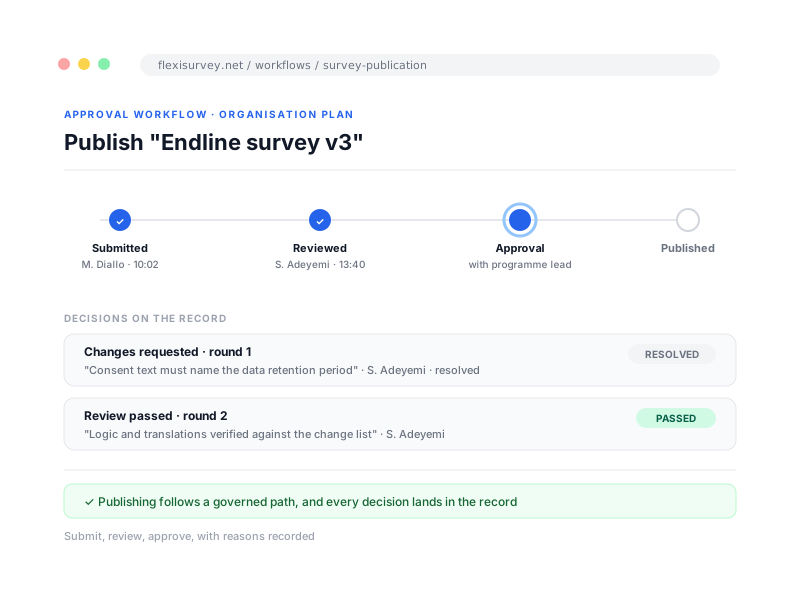
Publishing follows a governed path
Route work through defined submit, review, approve or request-changes steps, with the decision recorded, so publishing or a change of record follows a governed path rather than a direct edit. Available on Organisation and above.
- Defined submit, review and approve steps
- Request changes with the reason recorded
- Every decision lands in the record
- Available on Organisation and above
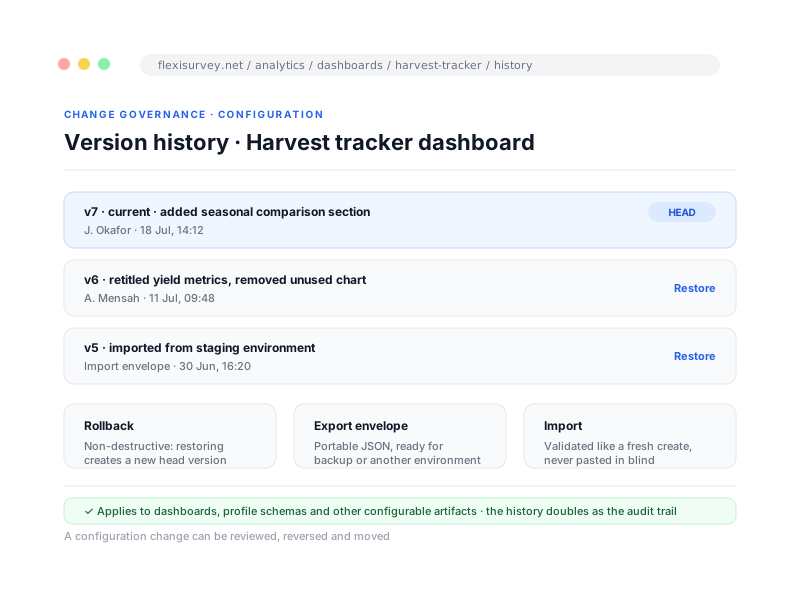
Configuration changes you can review and reverse
Configurable artifacts, dashboards, profile schemas and similar, carry version history, rollback and portable import and export, so a configuration change can be reviewed, reversed and moved between environments rather than made once and forgotten.
- Version history on every configurable artifact
- Non-destructive rollback to any version
- Portable export and import between environments
- A change can be reviewed, reversed and moved
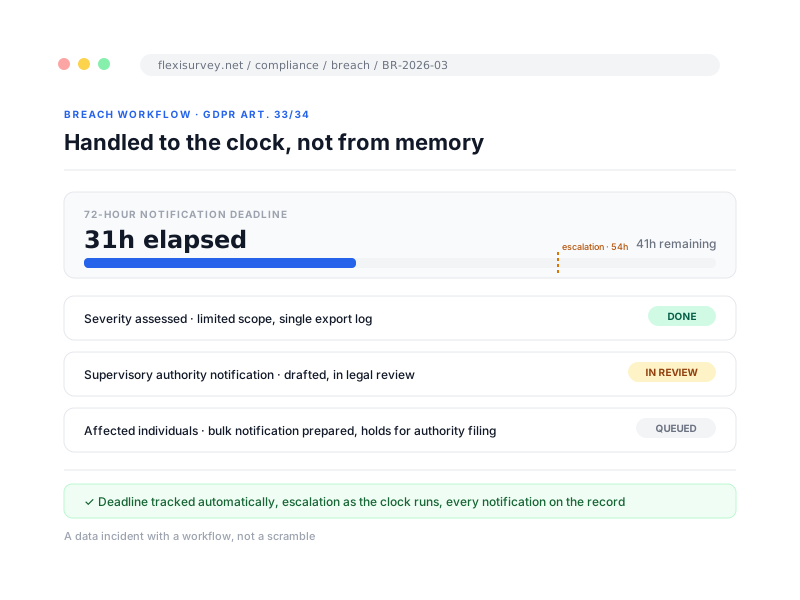
A data incident handled to the clock
An automated GDPR Article 33 and 34 workflow tracks the 72-hour deadline and the notifications it requires, with escalation as the clock runs, so a data-protection incident is handled to the clock rather than from memory. Available on Organisation and above.
- The 72-hour deadline tracked automatically
- Escalation alerts as the clock runs
- Authority and individual notifications tracked
- Available on Organisation and above
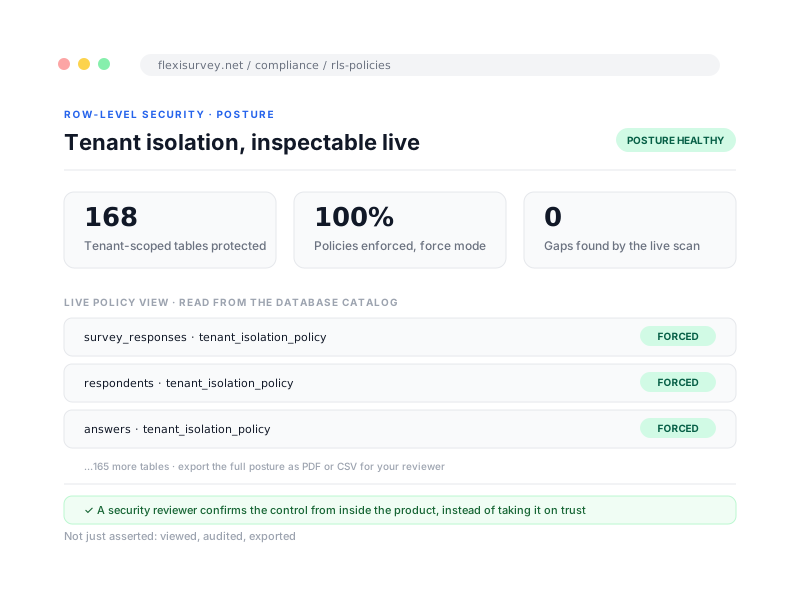
Isolation you can inspect, not just trust
The database-level tenant isolation is not just asserted: the row-level security policies can be viewed and audited from inside the product, with an exportable posture report, so a security reviewer can confirm the control rather than take it on trust.
- Live view of the tenant-isolation policies
- Posture readable by a security reviewer
- Exportable audit report of the control
- A control you confirm, not take on trust
How it works
The typical flow from setup to output.
Start with a role
Use a built-in role (admin, programme manager, analyst, viewer) or compose your own from granular permissions.
Layer in scope
Scope roles per organisation, project, survey or API. A programme manager for one region is one dropdown away.
Audit continuously
Every permission check and data change is logged. Export the trail when a reviewer asks.
Plays well with
Adjacent capabilities and solution pages you might want to read next.
Bring your access matrix or security questionnaire
We will map your roles, scopes and approvals to a configuration that fits, and point each questionnaire item at the live capability behind it.
Talk to our team