Organisational structure
Organise survey work the way your organisation is accountable for it
Represent regions, offices, programmes, projects and brands without forcing every user into one flat workspace.

Most survey tools assume a flat list of forms and one undifferentiated team. Real organisations run regions and country offices, time-bounded programmes and studies, reviewers who must sign off before anything goes live, and brands that need to look like themselves. FlexiSurvey models all of that as first-class structure rather than asking you to bend your organisation around the tool.
The spine is a clean separation of concerns: an organisational unit is your standing structure (who and where), a project is a bounded unit of work (why a survey exists), and a survey is the instrument and its collection activity. Single-survey users never see any of it; multi-programme organisations get reporting, permissions, field assignments and longitudinal work a stable parent to attach to.
What you can do
4 pillars, each one expanded further down with bullets and a screenshot.
Structure & hierarchy
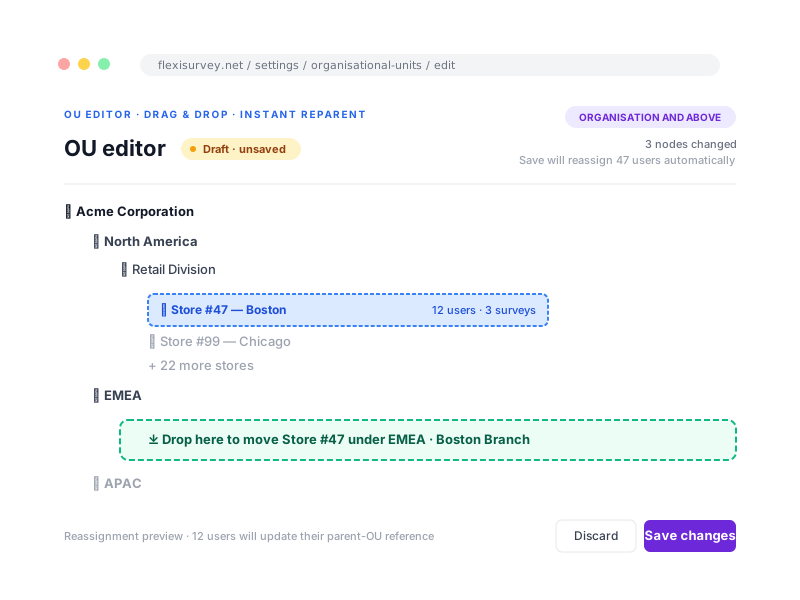
Organisational unit, project and survey, with roles scoped at a node and inherited down the tree.
Approval workflows
Require review before publishing, show approvers the diff, and preserve the decision record.
White-label
Custom domain, logo, colours and email identity across every respondent-facing surface.
Identity & systems
OAuth and SAML 2.0 SSO and a scoped API, summarised here, detailed on their own pages.
Separate the standing organisation from time-bound work
An organisational unit is who and where, a region, department or country office; a project is the bounded body of work, an evaluation, programme or annual cycle; a survey is the instrument and its collection. That structure gives reporting, permissions, field assignments and longitudinal work a stable parent. Assign a role at a node and inherit it where appropriate, so regional users see their area while authorised oversight roles see across the structure.
- Organisational unit: who and where, as a hierarchy of any depth
- Project: the bounded body of work a survey belongs to
- Survey: the instrument and its collection activity
- Roles scoped at a node and inherited, with dashboards that filter to the user's unit
Add approval gates to selected workflows
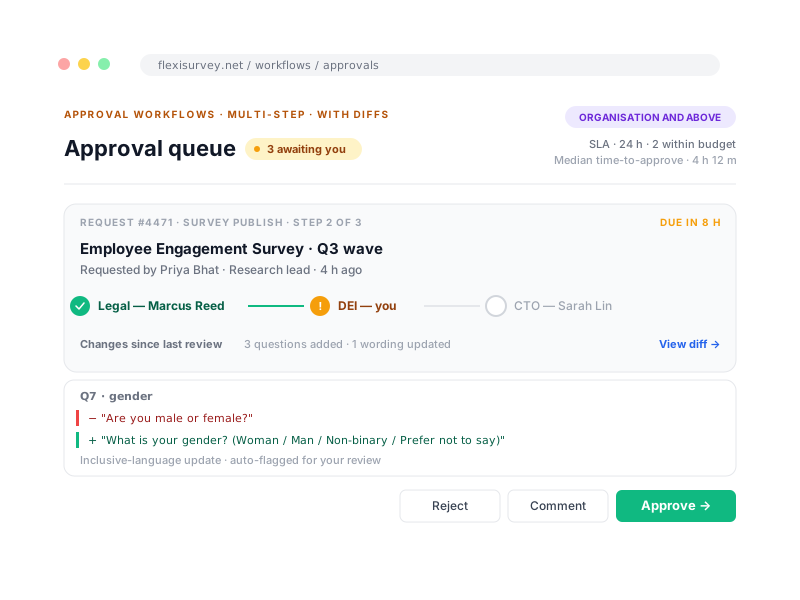
For regulated and donor-funded work, a survey should not reach respondents until the right people have signed off. Require review before publishing a survey or changing a controlled configuration, with as many steps as your governance needs. Each approver sees a diff of what changed since they last looked, and every decision is written to the audit log.
- Require approval before a survey goes live
- Multi-step approvals: author, reviewer, compliance, launch
- Approvers see a diff of what changed since the last approval
- Full approval history in the audit log
Present the correct brand to respondents
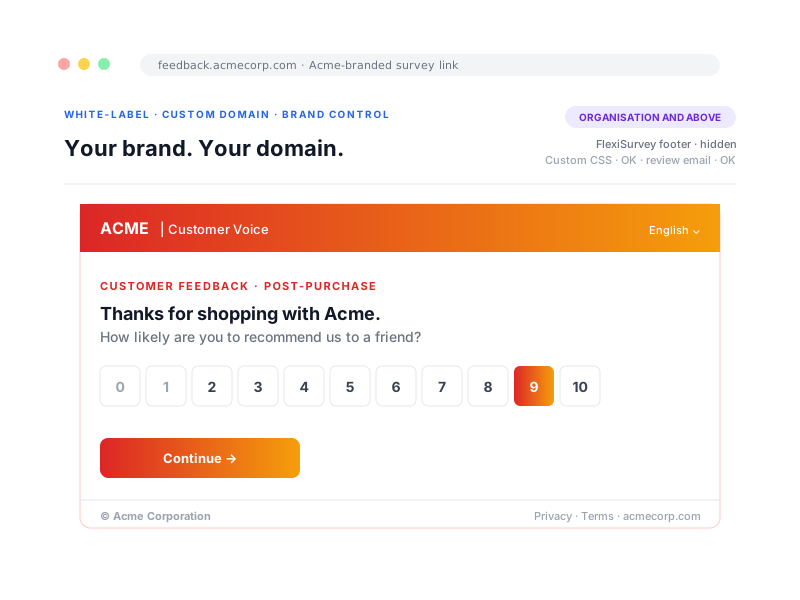
When respondents reach your survey, they should see your organisation, not ours. White-label puts your survey on a custom domain and carries your colours, logo and email identity through every respondent-facing page, with no FlexiSurvey branding on those surfaces. Organisations running several brands can segment branding per tenant.
- Custom domain for respondent-facing surveys
- Brand colours, logo and email identity
- Per-tenant branding for organisations with multiple brands
- No FlexiSurvey branding on respondent surfaces in white-label plans
Connect identity and systems
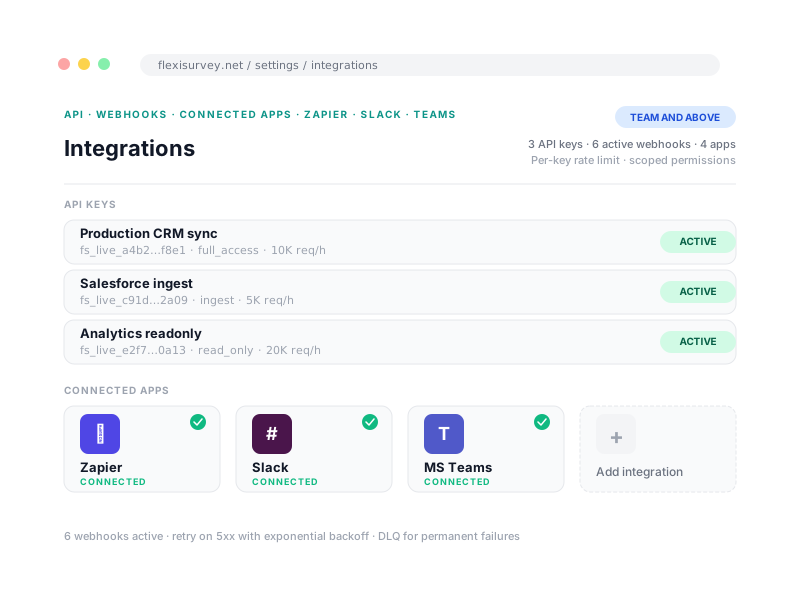
Teams sign in through OAuth (Google and Microsoft) or SAML 2.0 single sign-on, and a versioned, rate-limited API with scoped keys plus webhooks move data in and out under tight control. Rather than repeat the detail, this page summarises it: see Access & governance for identity and permissions, and Integrations & API for the API, webhooks and connectors.
- OAuth (Google, Microsoft) and SAML 2.0 single sign-on
- Scoped, rate-limited API keys and reliable webhooks
- Full identity and permission detail on Access & governance
- Full API, webhook and connector detail on Integrations & API
How it works
The typical flow from setup to output.
Model your organisation
Sketch your organisational-unit hierarchy: regions, divisions, programmes, whatever fits.
Assign roles and approvals
Scope roles per unit and turn on approvals for the programmes that need them.
Connect and customise
Add SSO, the API and white-label so the platform operates from within your existing systems and brand.
Plays well with
Adjacent capabilities and solution pages you might want to read next.
Map your organisation and project structure
Show us your org shape and we will help you map units, projects, roles and approvals to a configuration that fits. No rip-and-replace required.
Talk to our team