Integrations and API
Team planConnect survey work to the systems around it
Use the API for controlled data exchange, webhooks for real-time events, connectors for common workflows, and an embedded survey for experiences that should stay inside your own website or application.
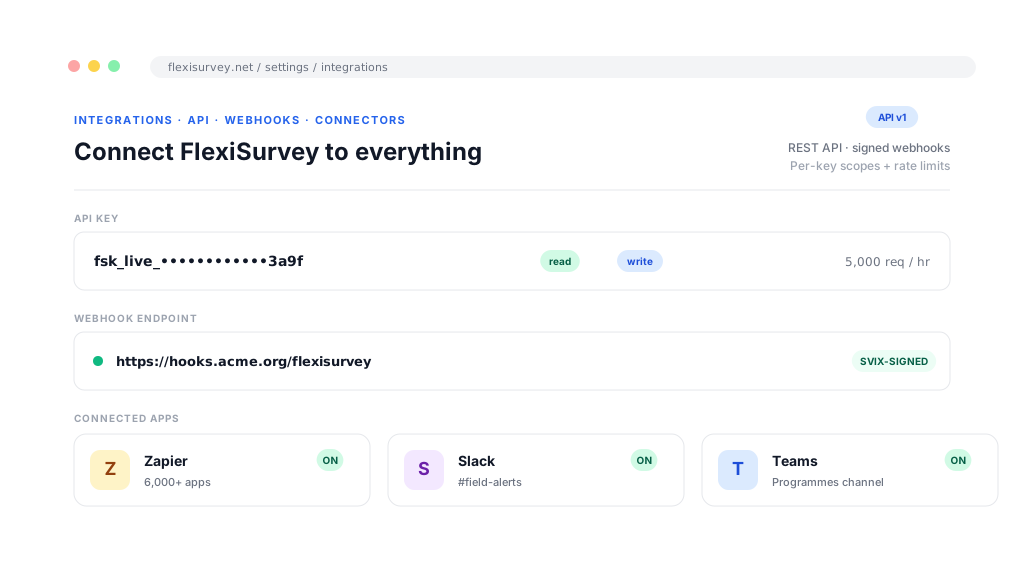
A platform that cannot talk to the rest of your stack becomes one more place to export from. Almost everything you can do in the interface, across surveys, responses, projects, assignments, indicators and cases, you can also do over a documented REST API, so your data warehouse, CRM or in-house tooling stays in sync without anyone downloading a spreadsheet.
For event-driven work, webhooks push the moment something happens, with automatic retries and a delivery log so you can see what was sent and what came back. For the no-code side, the Zapier, Slack and Microsoft Teams connectors are available today, not a marketplace promise, and an embeddable widget drops a styled survey straight into any site. API access and webhook integrations are available on Team plans and above; the widget is available across the platform.
What you can do
4 pillars, each one expanded further down with bullets and a screenshot.
REST API & keys
An API that mirrors the product, with scoped, rate-limited, expiring keys and usage tracking.
Real-time webhooks
Subscribe to events, test payloads, review delivery history, and retry failed deliveries.
Zapier, Slack & Teams
Available today: Zapier (OAuth 2.0), Slack, Microsoft Teams, and custom webhooks.
Embedded widget
Drop a styled, on-brand survey into any site and collect responses in place.
Work with the same objects your team uses
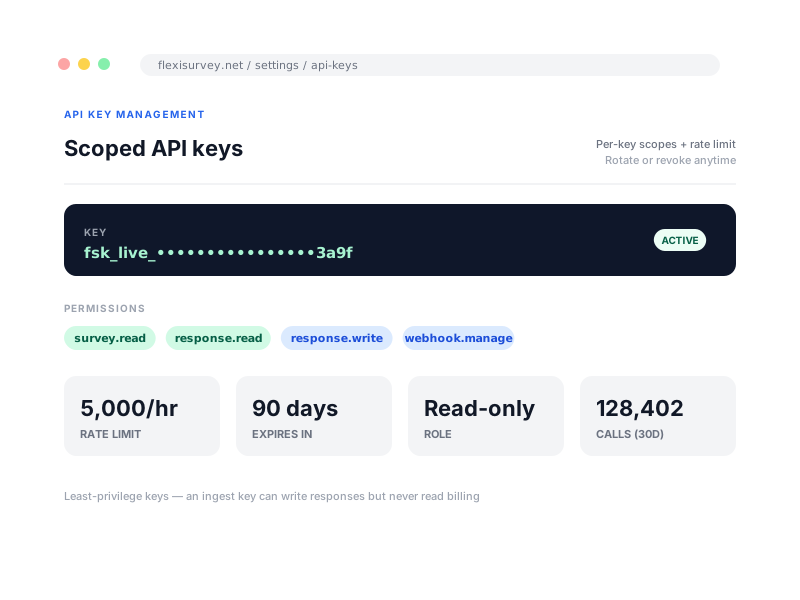
The REST API runs parallel to the product, across surveys, responses, projects, assignments, MEAL indicators and CFM cases, with pagination, versioning, rate limits and predictable error handling. Keys are first-class: each carries a role and granular permissions, its own rate limit and an expiry, can be rotated or revoked, and its usage is tracked so you can see exactly what is calling what.
- Reach the same resources as the interface, including surveys, responses, indicators, assignments and cases
- Issue, rotate and revoke scoped keys with read, ingest or administrative permissions
- Apply a rate limit and an expiry to each key for controlled, time-bounded access
- Pagination, versioning and per-key usage and error logs
React to events reliably
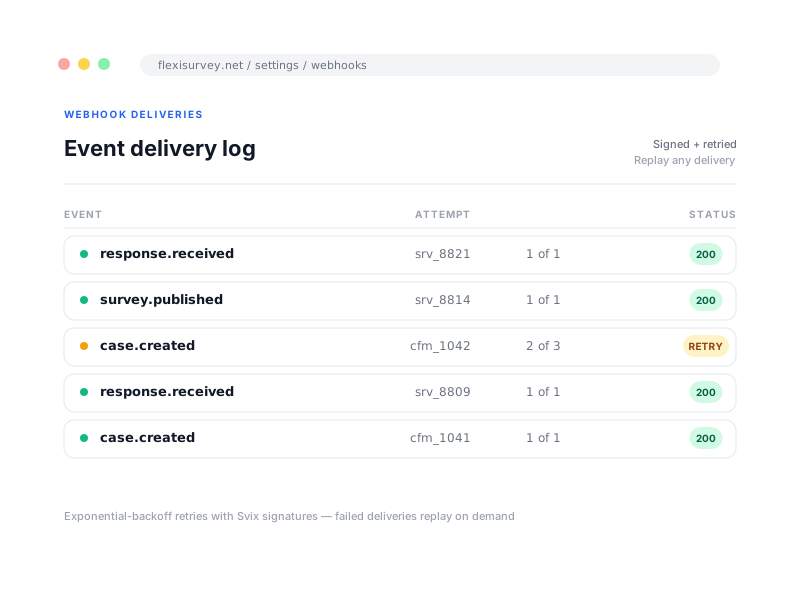
Webhooks let your systems react the instant something changes. Subscribe an endpoint to the events that matter, such as a response received, a survey published or a case opened, and FlexiSurvey delivers a signed payload immediately. It retries on failure and keeps a delivery log you can inspect per attempt, and you can send a test payload while you build so you are never debugging against production data.
- Subscribe to events such as response received, survey published and case created
- Automatic retries on failure, with a per-attempt delivery log
- Send a test payload while you build
- Manage several endpoints and subscriptions in one place, scoped to your tenant
Use no-code and collaboration connectors
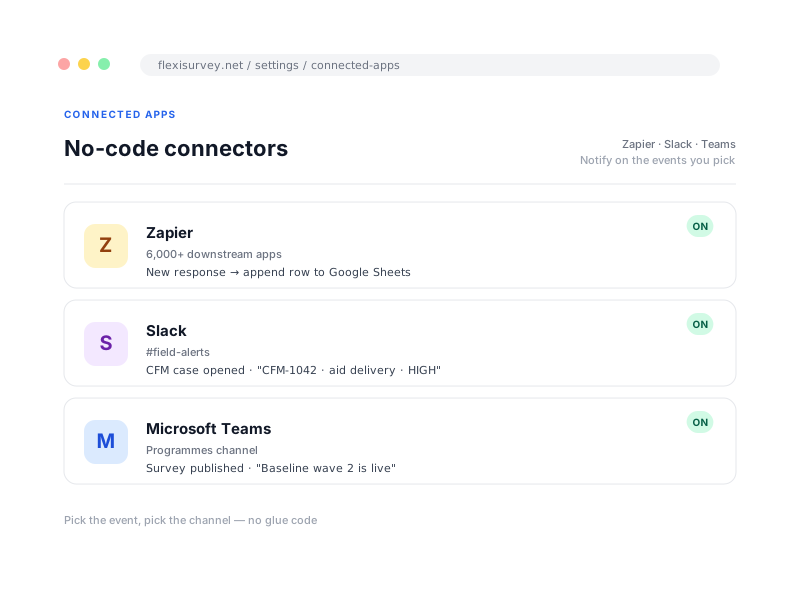
Not every integration should need a developer. The Zapier (OAuth 2.0), Slack and Microsoft Teams connectors are available today, each a real, supported integration rather than a marketplace placeholder. A new response, a published survey or a case that needs attention reaches the right people, and you can combine the connectors with webhooks and the API to mix no-code and bespoke automation.
- Zapier (OAuth 2.0): trigger thousands of downstream apps from survey events, no code
- Slack: post notifications on survey events in the channels your team uses
- Microsoft Teams: notifications for organisations that run on Teams
- Custom webhooks for anything not covered by a connector
Embed a survey without redirecting the respondent
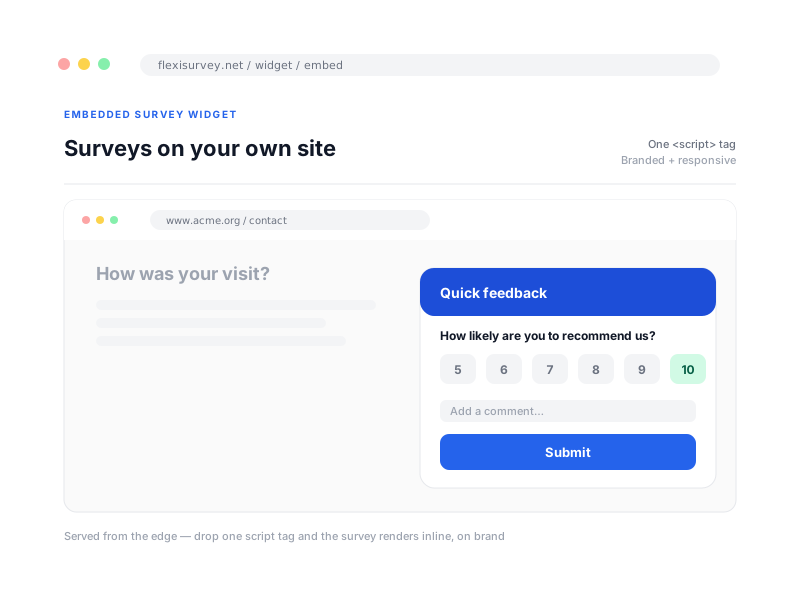
Sometimes a survey should live where your audience already is, not behind a separate link. An embeddable JavaScript widget drops a styled, on-brand survey straight into any website or web app and collects responses in place, served quickly from a known asset domain you can allow in your content-security policy. Update the survey centrally and every site it appears on reflects the latest version.
- Embed with a small JavaScript snippet, no redirect
- Style the widget to match the host site
- Served from the edge, with public, anonymous collection supported
- Loads from a known asset domain for your content-security policy
How it works
The typical flow from setup to output.
Create a key
Issue an API key with the role, permissions, rate limit and expiry the integration needs.
Subscribe to events
Point a webhook endpoint at the events you care about, and send a test payload to confirm it.
Wire the no-code apps
Connect Zapier, Slack or Teams to route survey events into the tools your team already uses.
Embed where needed
Drop the widget into your site and let responses flow back into the same platform and analytics.
Plays well with
Adjacent capabilities and solution pages you might want to read next.
Events and exports feed your analytics, dashboards and close-the-loop routing.
Scoped API keys sit inside the same access control and audit model as the rest of the platform.
Push feedback into your CRM and route cases to the people who can act on them.
Discuss an integration or view the API
Tell us what you need to connect, the API, webhooks, a connector or an embed, and we will show you the surface and help you wire it up. API and webhooks are available on Team plans and above.
Talk to our team