Field collection
Native apps in betaKeep fieldwork moving when connectivity does not
Assign surveys to enumerators, collect on native iOS and Android apps without a network connection, and monitor progress when devices synchronise.
FlexiSurvey iOS and Android apps are coming soon to the App Store and Google Play.
Field interviews happen where connectivity cannot be assumed: refugee settlements, rural districts, clinics with one bar of signal that comes and goes. FlexiSurvey ships real native apps for iOS and Android, not a browser tab pretending to be one. An enumerator opens the app, downloads their assigned surveys once, and then collects all day with no network at all. Each response is queued on the device and pushed automatically the moment a signal returns, with no manual upload step to forget.
For programmes running real fieldwork, the apps are assignment-aware: a coordinator hands out specific surveys, sites and response targets from the web, enumerators see only their own worklist, and every submission binds to its assignment so per-enumerator and per-site progress is visible as soon as devices sync. Responses are protected on the device and in transit; the encryption, key-management and retention details live on Trust & Security so this page can stay about the fieldwork.
What you can do
4 pillars, each one expanded further down with bullets and a screenshot.
Offline-first
Responses queue on the device and sync automatically when connectivity returns.
Assignment + handover
Assign by survey, site, cluster or person, with supervisor visibility and clean handover.
Field question types
GPS, photo, signature, barcode/QR and numeric capture, handled on the device.
On-device protection
Responses are protected on the device and during sync; the control detail lives on Trust & Security.
Work offline by default
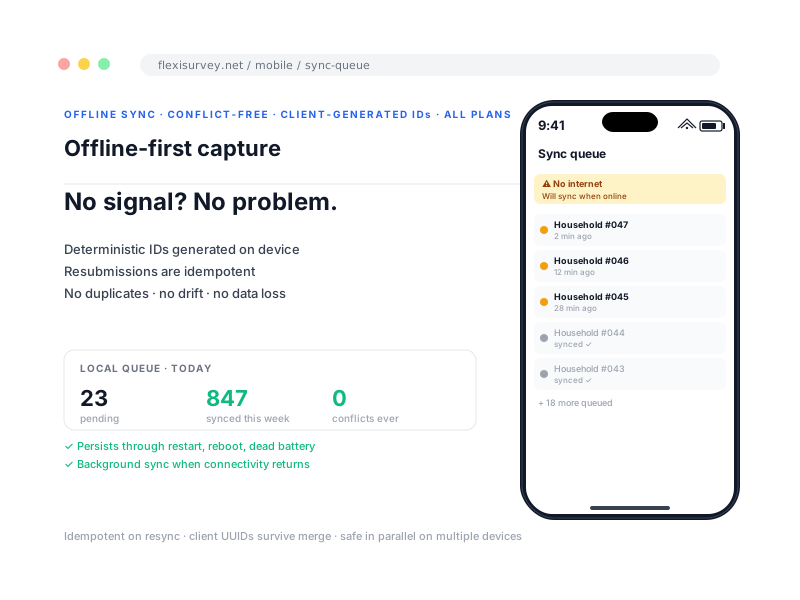
Enumerators download assigned instruments before fieldwork. Completed responses remain queued on the device until synchronisation succeeds, with visible status for pending, synchronising and completed items. Because every response carries a unique device-generated identifier, a retry over a dropped connection returns the existing record instead of creating a duplicate, so targets and counts stay correct even on the worst networks.
- Offline data entry and validation
- Automatic retry when connectivity returns
- Clear per-response sync status
- Duplicate-resistant submission identifiers
Give each enumerator a controlled worklist
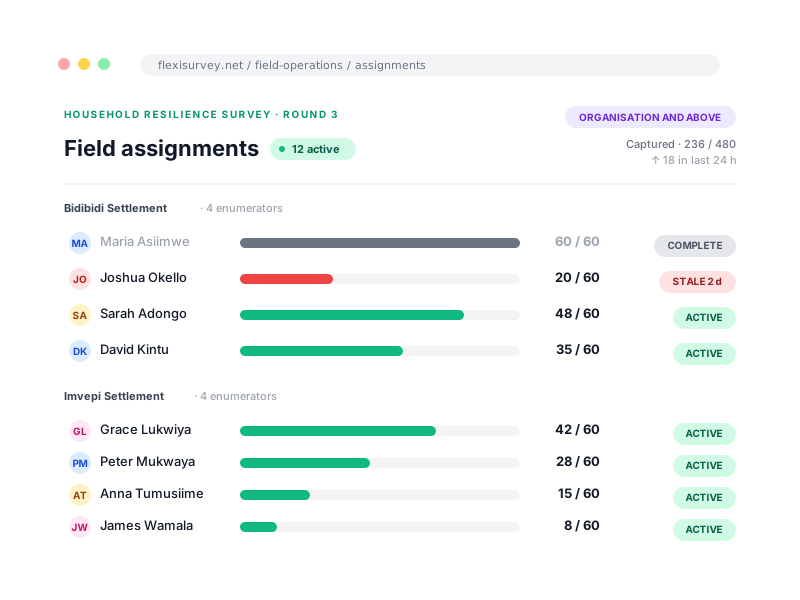
Assign work by survey, location, cluster or person. Supervisors can monitor captured-against-target counts and reassign remaining work without changing previously submitted records, so if someone leaves mid-fieldwork their outstanding work moves on without losing anything already captured.
- Role-specific worklists
- Assignment targets and progress
- Supervisor visibility
- Handover and reassignment
Capture field evidence natively
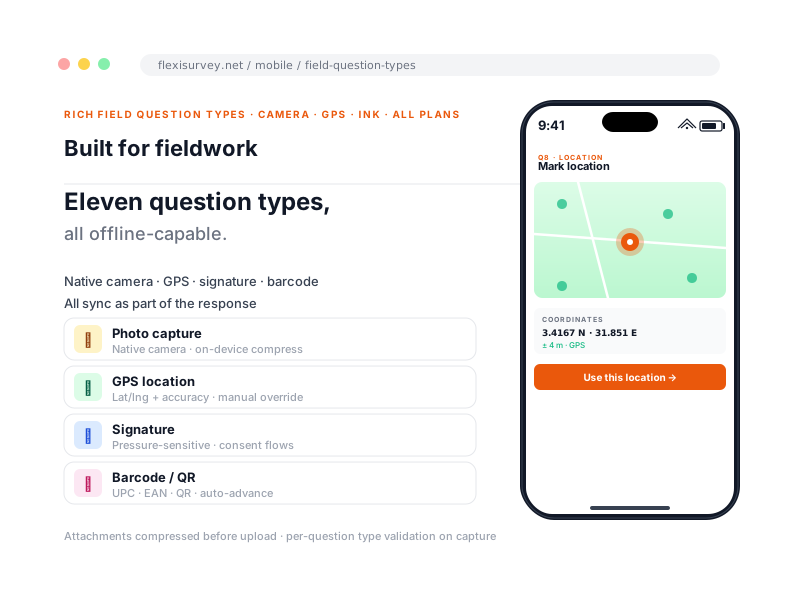
Use device services directly for field question types. The camera, scanner and location services are wired in natively rather than bolted on, and captured media is held with the response until it syncs. These are the same question types your team builds on the web, so a survey designed once works the same way in the field.
- GPS coordinates
- Photographs
- Signatures and consent capture
- Barcode and QR scanning
- Numeric measurements and long text
Protect data on the device and in transit
Responses are protected on the device and during synchronisation, so a lost or stolen device does not become a data-protection incident. Rather than repeat the implementation here, we keep the current encryption, key-management, device and retention details on one page you can point an auditor at.
- Responses protected on the device and during sync
- A lost or stolen device does not expose stored responses
- Current encryption, key-management and retention details on Trust & Security
How it works
The typical flow from setup to output.
Design on the web
Build your survey in the web builder, no separate mobile-only editor.
Assign to teams
Hand out surveys, sites and targets to enumerators, who download them on iOS or Android.
Download before travel
Enumerators sync their worklist while they still have a connection, then head into the field.
Collect offline
Fieldwork happens regardless of signal, with each response queued on the device.
Synchronise and review
Responses push automatically when signal returns, and supervisors see progress as devices come online.
Plays well with
Adjacent capabilities and solution pages you might want to read next.
See an offline collection demonstration
We will demo capture with no connection, show you the sync behaviour, and set up a sandbox so you can try it yourself.
Talk to our team